
Preview




Description
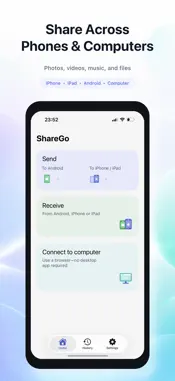
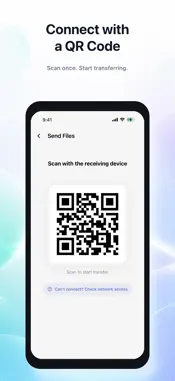
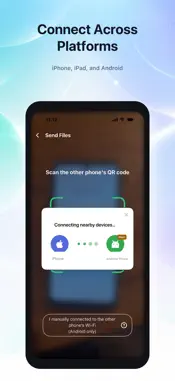
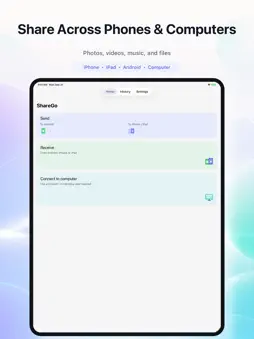
ShareGo makes it easy to move large files directly between nearby phones, tablets, and computers. Send and receive photos, videos, music, documents, and other files between iPhone, iPad, and supported Android devices. You can also connect your iPhone to a computer through a web browser—no desktop app or account required. Transfers run over the local Wi-Fi connection. Your file contents aren't uploaded to cloud storage, and the transfer itself doesn't use your mobile data allowance. WHY SHAREGO • Share across devices Transfer between iPhone, iPad, supported Android devices, and computers. • Connect to a computer Use a web browser to transfer photos, videos, and files between your iPhone and computer. No desktop app required. • Built for large files Move large videos, photo collections, music, documents, and other files directly between nearby devices. • Direct local transfer Your file contents travel over the local Wi-Fi connection instead of being uploaded to cloud storage. • No mobile data used for transfer Transfers run on the local connection and don't use your mobile data allowance. • Photos, videos, music, and files Choose content from your photo library, media library, the Files app, or files available inside ShareGo. • Simple device connection Connect mobile devices with a QR code. For computer transfers, connect both devices to the same Wi-Fi and open ShareGo in a browser. • Share from other apps Use the iOS share sheet to send supported content with ShareGo. • Transfer history and file management Review completed transfers and manage received files in one place. No account is required. Network availability, transfer speed, and supported content may vary by device and platform.
What's New
Version 1.5.0 2026-11-08
1. Improved sharing experience and fixed minor issues. Technical Analysis
Package Overview Basic metadata
Bundle ID
com.transfer.ShareGoiOS Current Version 1.5.0
Minimum iOS 16.0
Package Size App Store Size
Package Metadata 0 / 0 version records
Detailed binary, privacy manifest, framework, and Info.plist results have not been indexed for this package yet. The verified App Store and archive metadata above remains available.
Developer Information
Known Version Records
0 version records with stored package metadata
Stored metadata does not guarantee a package is currently available to download.
| Details | Version / IDs | Version date | Action |
|---|