
Preview



Description
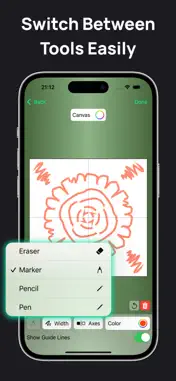
Symmetry Drawing is a fun and easy-to-use iOS app for creating beautiful symmetrical designs. Just draw one part of the figure, and the app instantly mirrors it to create intricate patterns. Key Features 1. Real-Time Symmetry Drawing ◦ Draw one side of a figure, and the app mirrors it instantly to create a complete symmetrical design. ◦ Choose the number of symmetry axes: single, double, or multiple (e.g., six axes). 2. Customizable Brushes ◦ Adjust brush size, color, and style to match your creative vision. ◦ Choose from various brush types like pencil, marker, or calligraphy pen. 3. Drawing History ◦ Automatically save all your designs in the History section for easy access. ◦ Reopen and edit any saved drawings anytime. 4. Helpful Tips ◦ Learn to enhance your designs with 10 simple and effective tips: 1. What is a symmetry axis? A line that creates mirrored patterns on both sides. 2. How to choose symmetry axes? More axes create more detailed patterns. 3. Can I use multiple colors? Yes, select different brush colors for each stroke. 4. How to create complex designs? Use thicker brushes and more symmetry axes. 5. How to erase part of a drawing? Use the eraser tool to remove specific areas. 6. How are drawings saved? The app saves them automatically in History. 7. Can I combine different brush styles? Yes, mix and match brushes for unique effects. 8. How to start with complex patterns? Begin with simple shapes and build up details. 9. How does mirroring work? The app reflects your strokes in real time. 10. What is layered drawing? Use layers to add depth and switch elements on or off. Symmetry Drawing makes creating mesmerizing designs easy, whether you're a beginner or a professional. Let your creativity shine! Subscribe to get full access: $4.99 per week, cancel anytime Terms of Use: https://www.apple.com/legal/internet-services/itunes/dev/stdeula/ Privacy Policy: https://sites.google.com/view/kloos2010202-policy/?v=1
Technical Analysis
Package Overview Basic metadata
Bundle ID
com.symmetry.symmetry Current Version 1.0
Minimum iOS 15.0
Package Size App Store Size
Package Metadata 0 / 1 version records
Detailed binary, privacy manifest, framework, and Info.plist results have not been indexed for this package yet. The verified App Store and archive metadata above remains available.
Known Version Records
0 version records with stored package metadata • 1 known version records
Stored metadata does not guarantee a package is currently available to download.
| Details | Version / IDs | Version date | Action |
|---|---|---|---|
| Not archived | App Store ID: 871129098 | Unknown | Request Version |