
pScanner:PDF Document Scanner
(150 App Store ratings)
🏆 Best: #39 Top Grossing (HKG)
⚙ Built with Flutter analyzed v1.42 (historical)
IPA Analysis Preview


Description
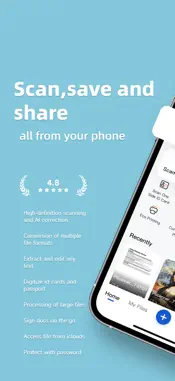
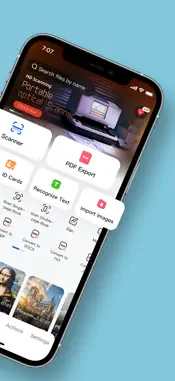
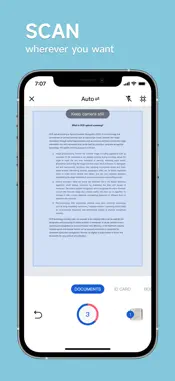
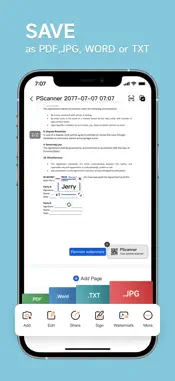
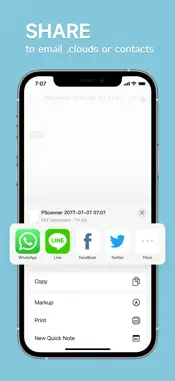
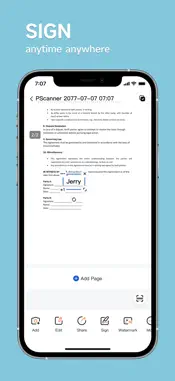
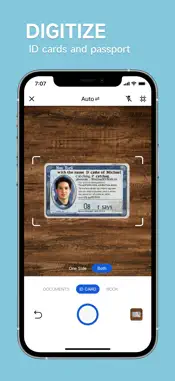
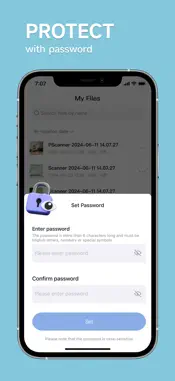
Turn Your Phone into a Powerful Scanner! Pocket Scanner transforms paper documents into high-quality digital files in seconds. Convert scans to PDF, JPG, Word, TXT, and more. Print directly or share via email, messaging apps, or cloud platforms with one tap. Key Features 1. Crisp Scanning & Smart Editing - HD scans with auto-edge cropping and customizable filters. 2. OCR Text Recognition - Accurate text extraction with intelligent OCR technology. 3. Smart PDF Tools - Generate PDFs instantly. Add signatures, watermarks, or password protection. 4. Multi-Format Conversion - Export to Word, PDF, TXT, JPG, etc. 5. Wireless Printing - Print documents directly from your phone to compatible printers. 6. ID & Card Scanning - Scan IDs, licenses, or cards with 1:1 precision. Auto-align to A4/Letter size. 7. High-level Security - Secure file encryption & password-protected sharing. 8. Bulk Processing - Handle large files and image batches effortlessly. 9. Smart Organization - Categorize documents with custom folders and tags. Use Cases 1. Document Scanning & Management - Scan Anything, Anytime Contracts, notes, books, receipts, posters—scan multi-page docs in seconds. - Auto-Crop & Enhance Remove clutter and optimize scans with brightness/color adjustments. - Professional PDFs Create print-ready PDFs in A4, Letter, or custom sizes. - Cloud Sync & Share Save to Photos, email PDFs, or share via AirDrop. 2. Text Extraction & Editing - Scan-to-Text Convert printed/handwritten text to editable content (supports 15+ languages). - Boost Productivity Copy text from IDs, invoices, or business cards into apps instantly. 3. ID & Document Scanning - Digitize Critical Info Scan IDs, passports, or insurance cards. Print duplicates at 1:1 scale. 4. Study & Education - Paperless Learning Scan textbooks, notes, or exams to create digital study guides. - Smart Flashcards Turn scanned quizzes into shareable digital flashcards. 5. Business & Productivity - On-the-Go Office Scan contracts, whiteboards, or receipts during meetings or travel. - Team Collaboration Share annotated PDFs via Slack, Teams, or email in one click. 6. Everyday Convenience - Preserve Memories Digitize photos, recipes, or travel souvenirs. - Travel Ready Store scanned itineraries, tickets, and maps offline. Why Professionals & Students Love It - Time-Saving – Ditch manual typing with instant OCR. - Pro-Quality Scans – Crisp results rivaling desktop scanners. - High-level Privacy – Your docs stay 100% secure. - Apple Ecosystem Ready – Works seamlessly with AirPrint, Files app, and iCloud. Download Now – Join 5M+ users who trust Pocket Scanner for work, school, and life! pScanner PRO -Subscribe to get Pro access to all features. You will be charged after the purchase confirmation. -Subscriptions to our scanner app auto-renew 24 hours before the expiration date. You can manage your subscriptions in account Settings on the App Store. Terms of Use of pScanner: Scanner App: https://www3.yunhu.net.cn/agreement/terms Privacy Policy of pScanner: Scanner App: https://www3.yunhu.net.cn/agreement/privacy We'd love to hear your feedback: [email protected]
What's New
Version 1.53 2026-08-14
Thanks for using pScanner! In this version you can find: 1. Minor bug fixes and UI improvements We love getting feedback from all of you! Please leave your revi...Thanks for using pScanner! In this version you can find: 1. Minor bug fixes and UI improvements We love getting feedback from all of you! Please leave your reviews so we can keep making the app even better. Technical Analysis
Package Overview Package analysis available
Bundle ID
com.izhitui.pscanner Current Version 1.53
Minimum iOS 16.0
Package Size App Store Size
Package Metadata 2 / 46 version records
arm64
✓ Swift ✓ Objective C ✓ PIE ✗ Stack Canary ✗ Bitcode
✗ Analytics ✗ Ads ✓ Sign In ✓ App Invite
pscanner-ios com.izhitui.pscanner 524687779627 Client configuration identifier present; value not published.
Developer Information
Known Version Records
2 version records with stored package metadata • 46 known version records
Stored metadata does not guarantee a package is currently available to download.
| Details | Version / IDs | Version date | Action |
|---|---|---|---|
 Not archived | App Store ID: 875175308 | Unknown | Request Version |
| Not archived | App Store ID: 874600552 | Unknown | Request Version |
| Not archived | App Store ID: 874302639 | Unknown | Request Version |
| Not archived | App Store ID: 874075516 | Unknown | Request Version |
| Not archived | App Store ID: 873867265 | Unknown | Request Version |
| Not archived | App Store ID: 869091615 | Unknown | Request Version |