
Preview


Description
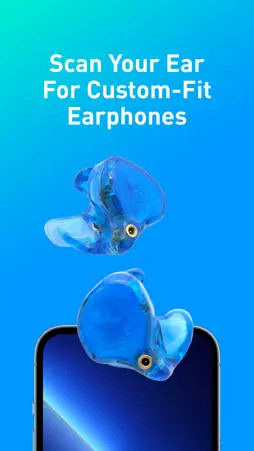
ADV. Scanner turns your iPhone into the first step of a custom fit. Scan your ears, review the result, and send it to ADV. to order in-ear monitors made for you. Two ways to scan: • Ear scan — scan each ear directly with the front camera. Spoken and on-screen guidance walks you through it, so you can do it yourself in front of a mirror or with a friend's help. • Ear-impression scan — if you already have silicone ear impressions from an audiologist, place them on the printed ADV. scan sheet and sweep your phone around them. On-screen guidance shows what has been captured and the scan finishes by itself when it is complete. Then: • Review each scan before anything is sent. • Name it, add your details, and send it to ADV. from the app. • Keep a history of what you sent and when, and export a scan for your own use. • A built-in guide covers both methods. ADV. manufactures professional in-ear monitors and audio peripherals. Designed for musicians. Born in New York. www.adv-sound.com Requirements: the ear scan needs an iPhone with Face ID (iPhone X or later). The ear-impression scan needs the ADV. scan sheet, printed at 100 % on Letter, and a pair of ear impressions.
What's New
Version 3.1.0 2026-10-02
Sharper ear-impression scans and a hands-free ear scan. Ear-impression scan • Print the scan sheet straight from the app. It comes out at its true size on Lett...Sharper ear-impression scans and a hands-free ear scan. Ear-impression scan • Print the scan sheet straight from the app. It comes out at its true size on Letter or A4 paper, so your scan is the right size. • Hold the phone a little closer: the guide now asks for 9–12 inches. • Finer detail on each impression, and a scan that recovers from a shaky moment instead of failing. • No more light warnings. The phone's own light is all the scan needs. Ear scan • Scan without looking at the screen: two ticks mean the camera sees your ear, a buzz means you're too close or too far, and three taps mean you're done. • The scan starts only when it sees the correct ear, and tells you if it's looking at the other one. • Fewer spoken prompts, and only when they help. • Mark the ear canal opening on the finished scan with one tap. • The review screen shows the scan from both sides. Technical Analysis
Package Overview Basic metadata
Bundle ID
com.advsound.earscanner Current Version 3.1.0
Minimum iOS 17.0
Package Size App Store Size
Package Metadata 0 / 6 version records
3.8 / 5.0 (10 ratings)
Detailed binary, privacy manifest, framework, and Info.plist results have not been indexed for this package yet. The verified App Store and archive metadata above remains available.
Developer Information
Known Version Records
0 version records with stored package metadata • 6 known version records
Stored metadata does not guarantee a package is currently available to download.
| Details | Version / IDs | Version date | Action |
|---|---|---|---|
| Not archived | App Store ID: 880647664 | Unknown | Request Version |
| Not archived | App Store ID: 867499372 | Unknown | Request Version |
| Not archived | App Store ID: 860689350 | Unknown | Request Version |
| Not archived | App Store ID: 851757886 | Unknown | Request Version |
| Not archived | App Store ID: 851501390 | Unknown | Request Version |
| Not archived | App Store ID: 850385612 | Unknown | Request Version |