Preview







Description
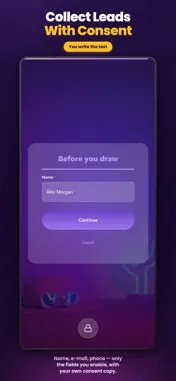
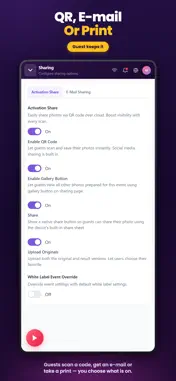
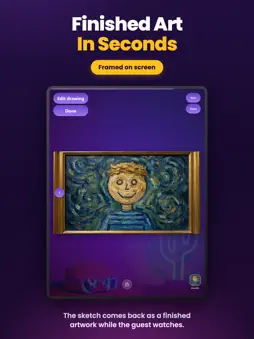
Turn your stand into a live art studio. AI Drawing Screen runs on the tablet or touchscreen at your event. A guest walks up, sketches with a finger or a stylus, picks an art style and watches AI turn the drawing into a finished artwork in seconds. No artist on site, nothing for your guests to install. A CANVAS MADE FOR A CROWD - Pen, marker, neon and spray brushes with a colour palette - Undo, redo and clear, so nobody is afraid to start - An optional drawing timer keeps the queue moving YOUR STYLES, YOUR RULES - Guests choose from the styles you prepared for the event - Or lock a single style for everyone - Guests never type a prompt: they draw, the style does the rest YOUR BRAND ON EVERY SCREEN - Your logo and colours across the whole experience - A welcome screen with your own image or video LEADS, WITH CONSENT - Name, e-mail, phone and your own survey questions - A consent step written in your own words BUILT FOR A REAL STAND - The session closes itself when a guest walks away mid-drawing - PIN-protected settings keep guests out of the dashboard - Run several events from one device, each with its own look and styles Requires an Activation King account and an internet connection. Drawings are processed by cloud AI models. Terms of Use: https://activationking.com/terms-of-service Privacy Policy: https://activationking.com/privacy-policy AI Drawing Screen Subscription Info Payment & Renewal: Charged to your Apple ID. Automatically renews unless canceled at least 24 hours before the period ends. Cancellation: You can cancel any time in your Apple ID settings. Privacy Policy: https://activationking.com/privacy Terms of Use (EULA): https://www.apple.com/legal/internet-services/itunes/dev/stdeula/
What's New
Version 2.4.1 2026-11-16
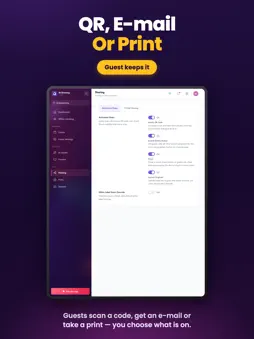
- New canvas size: Circle. Made for round LED screens: guests draw inside a circle and the second screen shows it as a circle. The finished artwork stays square...- New canvas size: Circle. Made for round LED screens: guests draw inside a circle and the second screen shows it as a circle. The finished artwork stays square, with the area outside the circle filled with the background color. - New result screen: guests can share their artwork by QR code, e-mail, SMS or WhatsApp, print it and go back to edit the drawing, all from one screen. The original drawing can be printed as well. The look of this screen is set under Screens > Sharing. - Guest payments: you can now charge guests for prints and downloads. Turn it on and set prices under Session > Payments. - If the artwork cannot be created, guests now see a clear error screen instead of being left waiting. Its background, logo and texts can be changed under Screens > Result. - The drawing screen always opens with a style already selected, so guests can finish without having to pick one first. - When AI is turned off, pressing Finish no longer leaves the guest waiting on the drawing screen with no sign of progress: the progress screen is shown with a running timer. - AI Assets and Drawing Settings are now available only after an event is selected, so settings can no longer be changed without an event to save them to. - The kiosk log file no longer grows without limit, so long-running kiosks do not fill up the disk. - Signing in with an e-mail code on an account without a subscription no longer gets stuck on the code step; you are taken back with a message. - Mac: drop-down lists open reliably with the mouse. - After signing out and signing in with another account, AI styles from the previous account's event no longer carry over to the new account. - When the server refuses to sync an item, the app no longer keeps retrying it over and over in the background. - Mac: network printers that are switched off or disconnected are no longer shown as online in the printer list. Technical Analysis
Package Overview Basic metadata
Bundle ID
com.activationking.aidrawing Current Version 2.4.1
Minimum iOS 15.0
Package Size App Store Size
Package Metadata 0 / 0 version records
Detailed binary, privacy manifest, framework, and Info.plist results have not been indexed for this package yet. The verified App Store and archive metadata above remains available.
Developer Information
Known Version Records
0 version records with stored package metadata
Stored metadata does not guarantee a package is currently available to download.
| Details | Version / IDs | Version date | Action |
|---|