
Preview






Description
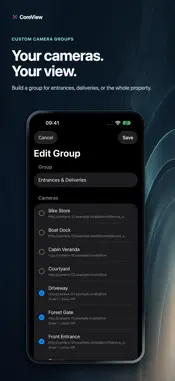
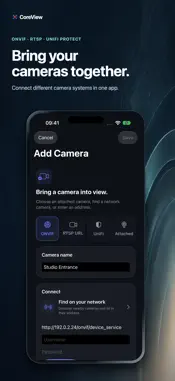
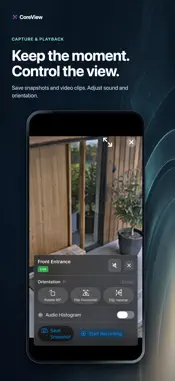
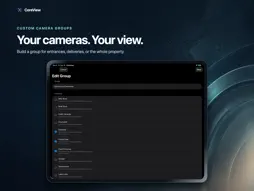
Watch your security cameras live on iPhone, iPad, Mac, Apple TV, and Apple Vision Pro. CoreView connects directly to RTSP, ONVIF, UniFi Protect and Rhombus cameras on your local network. Your video never goes through a cloud service, and you aren't tied to one camera brand. ADD CAMERAS IN SECONDS • Find ONVIF cameras automatically, with model, firmware, and stream details • Scan your local networks for RTSP devices on any port • Find UniFi Protect systems, sign in with an API key or a local account, and pick each camera's stream quality • Paste any RTSP or RTSPS URL • Use built-in, USB, and Continuity cameras as sources, with optional microphone audio WATCH EVERY CAMERA AT ONCE • Multi-camera groups with an automatic grid, or arrange and resize cameras yourself • H.264, H.265 (HEVC) and AV1 video over TCP or UDP, with RTSPS and SRTP encryption for UniFi Protect • Live audio with volume control and an on-screen sound level meter • Pinch to zoom, rotate 90°, and flip any feed • Picture in Picture keeps a camera on screen while you use other apps • Sort cameras and groups into folders, search your library, and reorder with drag and drop SNAPSHOTS AND RECORDINGS • Take a snapshot or record a clip from any camera • Record every camera in a group with one tap • Captures save straight to Photos MADE FOR EVERY APPLE DEVICE • Mac: keep favorite cameras in the menu bar, and open any camera or group in its own window • Apple TV: turn any TV into a monitoring display, controlled with the Siri Remote • iPhone and iPad: check your cameras from anywhere in your home • Apple Vision Pro: place live feeds in your space PRIVATE BY DESIGN Video travels directly from your cameras to your device.
What's New
Version 2026.11.01 2026-10-25
- Auto Start: pick a camera or group in Settings › Playback. It starts streaming when CoreView launches, or when you come back after at least five minutes away....- Auto Start: pick a camera or group in Settings › Playback. It starts streaming when CoreView launches, or when you come back after at least five minutes away. - Name your devices: give each device its own name under Account. Several Apple TVs, iPads or Macs are now easy to tell apart in your device list and in LAN Sync. - LAN Sync: each nearby device now shows whether it has the same configuration as this one. A three-word fingerprint shows where your configuration came from, and you're warned before a sync would overwrite changes made on this device. - Faster UniFi Protect: camera lists load instantly from a cache and refresh in the background, so Protect cameras start playing sooner, especially on large systems. - More reliable UniFi Protect: systems with many cameras that connect with an API key no longer get locked out by Protect's request limits. - Clearer UniFi Protect errors: a wrong port, a cloud address or a missing Local Network permission now says what's wrong and which address to use. - You can add the same UniFi Protect camera more than once. - Editing a camera now loads its available streams. - Folder cards now highlight on hover, like camera cards. iPhone & iPad - Background Audio: keep hearing your cameras when the screen is off or CoreView is in the background. It's off by default; turn it on in Settings › Playback. Technical Analysis
Package Overview Basic metadata
Bundle ID
com.acgao.CoreView Current Version 2026.11.01
Minimum iOS 26.0
Package Size App Store Size
Package Metadata 0 / 0 version records
Detailed binary, privacy manifest, framework, and Info.plist results have not been indexed for this package yet. The verified App Store and archive metadata above remains available.
Developer Information
Known Version Records
0 version records with stored package metadata
Stored metadata does not guarantee a package is currently available to download.
| Details | Version / IDs | Version date | Action |
|---|