Preview







Description
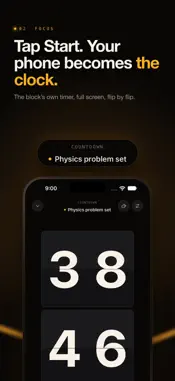
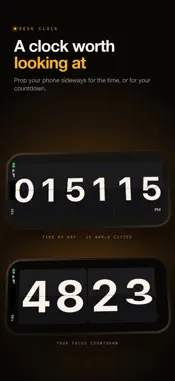
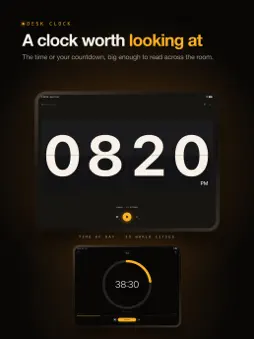
Prop up your phone and it becomes a giant flip clock that keeps time while you study. Plan your day in time blocks, tap Start, and let FlipTick run every focus session on a clock you can read from across the room. A FOCUS TIMER YOU CAN SEE FROM ANYWHERE • Full-screen flip clock digits that flip in real time, not a tiny number in the corner • On iPad the clock fills the whole screen, upright or in landscape • Countdown, stopwatch or Pomodoro: set focus and break rounds and FlipTick switches between them for you • Turn your phone sideways and the clock turns with it • Brightness control, auto-dim and an optional glow keep it easy on your eyes and your battery BLOCK DISTRACTING APPS WHILE YOU FOCUS • Pick the apps, categories and websites that pull you away, just once • They lock when a session starts and open again the moment it ends • Open one mid-session and a calm "Stay with it" screen shows your time left • Built on Apple's Screen Time, so your list stays private. One list is free; Pro adds more lists and Strict mode. Needs iOS 16 or later PLAN YOUR DAY IN TIME BLOCKS • Give every task a time, a length and a Start button • Add subtasks, notes, alerts and repeats • Finish a focus block and it ticks itself off in your plan • Keep your streak going as finished tasks fill in your calendar, day after day SEE WHERE YOUR HOURS GO • Day, week, month and year reports, split by activity • Your peak focus hours, plus average and longest sessions • A daily focus goal, with your progress always in view • Track Study, Deep Work, Reading, Exercise and Meditation, or add your own activities STAY ON TRACK OUTSIDE THE APP • Live Activities on the Lock Screen and in the Dynamic Island • A floating timer (Picture in Picture) that stays on top of other apps while a session runs • 10 Home Screen widgets, including a flip clock, calendars and world clocks ON YOUR APPLE WATCH AND ACROSS YOUR DEVICES • FlipTick for Apple Watch: start, pause and end sessions from your wrist and tick off today's tasks • While you focus, the Watch shows your progress instead of a ticking clock. Tap to see the time • iCloud sync keeps tasks, focus history and settings the same on your iPhone and iPad, with no account A DESK CLOCK WORTH LOOKING AT • Use FlipTick as a desk or bedside clock between sessions • Show the time where you are or in cities around the world • 11 clock faces, from Flip, Nixie and LED to Station and Stopwatch, with 7 flip-panel finishes and your own digit and accent colors • Ambient sounds for focus: rain, brown noise, campfire, sea, thunder, morning, a pendulum, a pocket watch and a ticking clock MADE FOR THE WAY YOU WORK FlipTick is built for students preparing for exams, writers, developers, designers and anyone who does their best work in focused sprints. And a big, always-visible clock makes a simple visual timer for anyone with ADHD or anyone who loses track of time. FREE TO START, PRO WHEN YOU WANT MORE FlipTick is free to use, with no account: every day, 4 focus sessions of up to 25 minutes or one long session of up to 60 minutes, plus the Flip, Minimal and Precision clocks, the day planner, widgets, Live Activities and the floating timer, and a week of history. FlipTick Pro lifts the limits and unlocks every clock face, flip color and ambient sound, repeating tasks and your full history and reports. FlipTick speaks 15 languages: English, Español, Français, Deutsch, Italiano, Português, Русский, 日本語, 한국어, 中文, हिन्दी, Türkçe, Nederlands, Polski and Bahasa Indonesia. FlipTick Pro is an optional auto-renewing subscription. Payment is charged to your Apple Account when you confirm the purchase. It renews automatically unless you cancel at least 24 hours before the end of the current period. You can manage or cancel it in your Apple Account settings. Terms of Use: https://ember-focus.jabbarsales.xyz/terms Privacy Policy: https://ember-focus.jabbarsales.xyz/privacy
What's New
Version 2.3 2026-10-23
NEW: FlipTick on Apple Watch, and iCloud sync. • Start, pause and end sessions from your wrist, skip a break or start the next Pomodoro round, and tick off tod... Technical Analysis
Package Overview Basic metadata
Bundle ID
com.ember.studyapp Current Version 2.3
Minimum iOS 15.1
Package Size App Store Size
Package Metadata 0 / 0 version records
Detailed binary, privacy manifest, framework, and Info.plist results have not been indexed for this package yet. The verified App Store and archive metadata above remains available.
Developer Information
Known Version Records
0 version records with stored package metadata
Stored metadata does not guarantee a package is currently available to download.
| Details | Version / IDs | Version date | Action |
|---|