Preview




Description
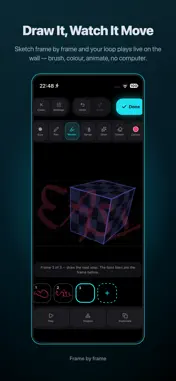
Turn your house into a Christmas light show — straight from your iPhone and any projector. This app has simple UX for someone looking to explore their creativity or impress with house decor during holidays. At the same time, it also has elite and comprehensive features for the seasoned VJ or someone much further into their tech art journey Project falling snow, swirling visuals, and your own photos and videos onto windows, walls, and props. Trace the exact shape of any surface, set your scenes on a timeline, and let the show run all night. No laptop, no rig, no expensive software. HOW IT WORKS 1. Connect a projector with a USB-C to HDMI adapter, or go wireless with AirPlay 2. Drag four corners to fit your wall, or trace a custom outline around any object 3. Drop in shaders, effects, photos, or videos and hit play MAPPING THAT FITS REAL SURFACES - Corner-pin any layer to any wall, prop, or window - Trace or sketch a surface's silhouette so content masks to the real object, not just a rectangle - Unlimited layers, each pinned and transformed independently - Grid, dot, and checker test patterns to line up corners before loading media LIVE VISUALS, NO RENDERING - 30+ real-time shaders: tweak brightness, hue, scale, and speed live - Built-in video loop library, plus your own photos and footage - Stack multiple visuals within a single mapped surface - Room Effects: falling snow, rocket bursts, emoji swarms, and more across your whole space, with depth control - Music-reactive mode: effects pulse with the room's volume (audio is measured only, never recorded or stored) - Halloween collection: skeleton dances, ghost swarms, lightning storms, and glowing eyes A SHOW THAT RUNS ITSELF - Save multiple scenes for one mapping and switch between them live - Sequence scenes on a timeline with fades for a hands-off show - Play, pause, restart, and scrub the playhead BUILT FOR LIVE USE - Wired HDMI output for a rock-solid signal, or AirPlay when cables won't reach - Guided connect flow gets you onto the projector in seconds - Save your mappings and pick up where you left off, synced across your devices PERFECT FOR - Christmas and Halloween house and yard displays - Parties and events: instant VJ-style backdrops - Content creators: turn any wall into a set - Galleries, pop-ups, and installation prototypes WHAT YOU NEED - An iPhone or iPad - Any projector with HDMI input (or an AirPlay-compatible display) - A USB-C or Lightning to HDMI adapter for wired output EASYMAPPER PREMIUM Start with a free trial. Premium unlocks unlimited mappings, the full shader and effects library, Room Effects, and cloud sync. Choose monthly or annual, and manage or cancel anytime in Settings → your Apple ID → Subscriptions. PRIVACY Your photos and videos stay on your device and are never uploaded. Privacy Policy: https://easy-mapper.xyz/privacy-policy Terms of Use: https://www.apple.com/legal/internet-services/itunes/dev/stdeula/
What's New
Version 2.2.5 2026-11-03
New Christmas assets to power your christmas decorations! Stack visuals on any surface - Layer several visuals on one surface (shaders, videos and photos) ... Technical Analysis
Package Overview Basic metadata
Bundle ID
com.cosine.easyMapper Current Version 2.2.5
Minimum iOS 15.1
Package Size App Store Size
Package Metadata 1 / 8 version records
Detailed binary, privacy manifest, framework, and Info.plist results have not been indexed for this package yet. The verified App Store and archive metadata above remains available.
Developer Information
Known Version Records
1 version record with stored package metadata • 8 known version records
Stored metadata does not guarantee a package is currently available to download.
| Details | Version / IDs | Version date | Action |
|---|---|---|---|
| 53.3 MB | v1.0.9 App Store ID: 889655892Build: 1.0.9 | 2026-09-02 20:57:46 | Get Version |
| Not archived | App Store ID: 887412043 | Unknown | Request Version |
| Not archived | App Store ID: 887225014 | Unknown | Request Version |
| Not archived | App Store ID: 887115337 | Unknown | Request Version |
| Not archived | App Store ID: 886652058 | Unknown | Request Version |
| Not archived | App Store ID: 886456073 | Unknown | Request Version |
| Not archived | App Store ID: 885936382 | Unknown | Request Version |
| Not archived | App Store ID: 885500990 | Unknown | Request Version |