Preview



Description
====== 50 % off for very limited Time ====== For free version Please Download Write Document for Microsoft https://itunes.apple.com/bh/app/write-document-for-microsoft/id863074739?mt=8 A Simple Scanner, DOCUMENT Maker , Document Writer , Document MANAGEMENT , Voice Recored App FOR iPhone AND iPad. Professional Look & Feel optimized , Really attractive, Simple ,Smooth ,Lightweight and super easy to use interface for iPhone and iPad screen sizes .All conversion is done locally on the iPhone , iPod and iPad. Your documents never leave it and it does not require internet connection. and the confidentiality of your data is never compromised.
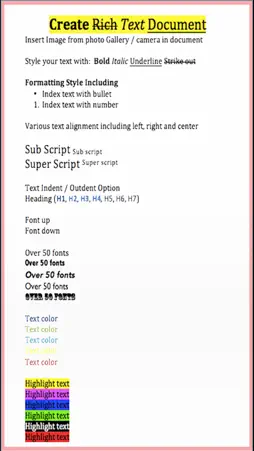
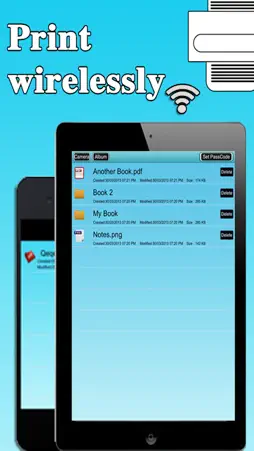
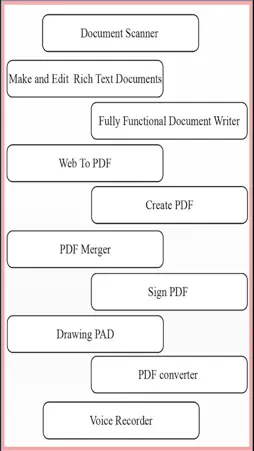
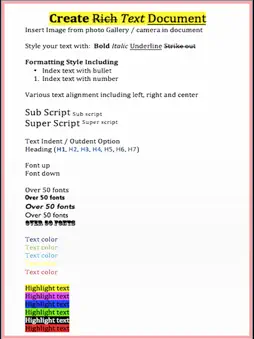
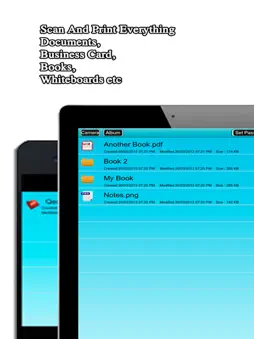
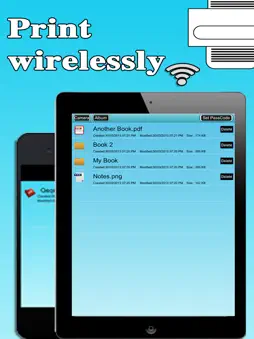
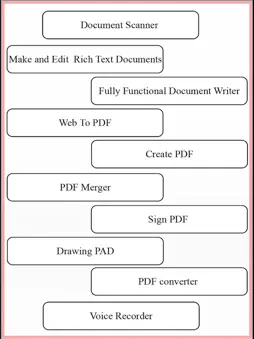
Important Feature : + Create and Edit Rich Text Documents on your iPhone or iPad. + Scan , Bill, Invoice, Contract, Tax Roll, Business Card, Whiteboard, Memo, Script, Letters Etc + Create sketches with this app and save as PNG , JPG or PDF documents. + Created files can be opened in Microsoft Word, Apple TextEdit, Notepad, Browser & all leading office suites. + Sign PDF : let you Receive documents through email, sign them using this app and send back through email. + Built-in viewer supports reading PDF On the Go . + Import your Office documents from Mail , Dropbox or from Any other installed applications that supports Open In function or even transfer to computer Via iTunes Sharing and convert it into PDF., + Build-in PDF converter let you convert anything to PDF on iPhone & iPad easily. + Voice Recorder Let you record Audio. + PDF annotation Feature help to Annotate PDF Any time you want. + Support the following File Formats: MS Word, PowerPoint, Excel, Apple iWork files (Numbers, Pages, Keynote), web page, RTF, Text, MS Office documents , images , photos, RTFD, HTML,CSS, XML, JSP, BMP,CSV, PHP3, PHP4, PHP, Java, JPG, PNG, Safari webarchive TXT,JPEG, BMP, C, CSS, XML, JSP, Maps and many other sources formats to PDF . + Access your documents from any sources: Mac/PC Desktop (Wi-Fi), Dropbox, Email, build-in browser, other Apps and more. + Build-in PDF Merger feature is a professional but easy PDF file Merger designed to merge multiple PDF files . (No Limit Of PDF Files to Combine ) + Share your PDF and Scanned Document via email, or open in your favorite/installed applications on your device like Evernote, Box, SkyDrive, iBook, GoodReader, PDF Reader etc + Use the internal browser / Build-in Browser to Convert unlimited Web Pages into PDF instantly. + Air Play Supports : Connect to Apple TV or external monitor (required setup) .Make impressive presentations using this app from your iPhone or iPad .Enjoy reading on large external monitors or Apple TV + Print your PDF file right inside the application via Air Print. Just make sure you have a compatible Air Print printer. + Merge, Export , Rename your documents or even Create a Copy of file + Password protect for your document and folder. + Send documents as email attachments to any other person (you can zip documents before send). + USB file transfer (iTunes file sharing). + Send files to other apps Using "Open In..." approach, installed on your device. + Upload/download files , note and document to Dropbox + Tip to Scan : Make sure your document is flat and well lit. Use flash in low light conditions, but avoid glare with glossy documents
What's New
Version 2.1 2021-09-18
Optimise for latest IOS Technical Analysis
Package Overview Basic metadata
Bundle ID
PlusWriter2 Current Version 2.1
Minimum iOS 9.0
Package Size App Store Size
Package Metadata 0 / 0 version records
2.0 / 5.0 (3 ratings)
Detailed binary, privacy manifest, framework, and Info.plist results have not been indexed for this package yet. The verified App Store and archive metadata above remains available.
Price History (USA store)
2 recorded price change points. These are historical observations, not a guarantee of the current price.
| Recorded at | Price | Currency |
|---|---|---|
| 5.0 | USD | |
| 4.99 | USD |
Known Version Records
0 version records with stored package metadata
Stored metadata does not guarantee a package is currently available to download.
| Details | Version / IDs | Version date | Action |
|---|