Preview




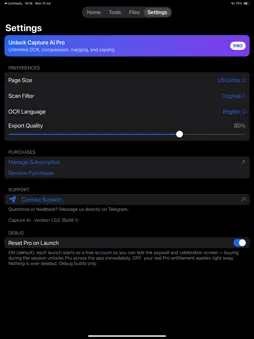
Description
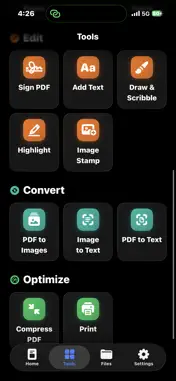
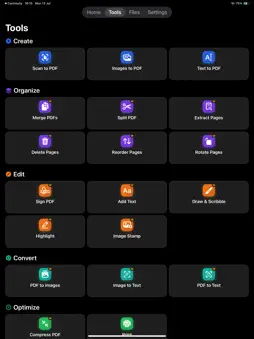
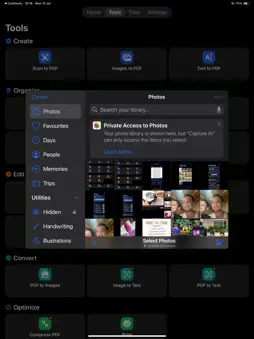
Turn your iPhone into a powerful document scanner and PDF toolkit with Capture AI. Scan paperwork, receipts, invoices, notes, IDs, contracts and books in seconds. Capture AI automatically detects document edges, enhances readability and converts your pages into clean, professional PDF files. SCAN ANY DOCUMENT • Automatically detect and crop document edges • Enhance shadows, contrast and readability • Scan multiple pages into one document • Import images from Photos or Files • Rotate, reorder, duplicate or delete pages • Apply color, grayscale and black-and-white filters EXTRACT TEXT WITH OCR Recognize text from scanned documents and images using on-device OCR. Copy, search and export detected text without manually typing it again. POWERFUL PDF TOOLS • Create PDFs from scans and images • Merge multiple PDF files • Split PDFs and extract selected pages • Reorder, rotate or remove PDF pages • Compress large PDF files • Convert PDF pages to images • Rename, duplicate and organize documents SIGN AND ANNOTATE Add handwritten signatures, text, drawings, highlights, shapes and checkmarks directly to your documents. Fill out forms and prepare files for sharing without printing them first. PRINT AND SHARE Export documents through your favorite apps, save them to Files, send them by email or print them directly from your iPhone. PRIVATE BY DESIGN Your documents, recognized text and signatures are processed locally on your device. Capture AI does not require an account to scan and manage your files. CAPTURE AI IS USEFUL FOR • Receipts and invoices • Contracts and business documents • School notes and assignments • IDs and passports • Forms and applications • Books and handwritten pages • Personal and professional paperwork Some advanced features may require a Capture AI Pro purchase. Available plans and prices are displayed inside the app before purchase. Subscriptions can be managed through your Apple Account settings. Capture it. Clean it. Sign it. Share it. - https://app.azam.to/capture-ai/privacy - https://app.azam.to/capture-ai/terms
What's New
Version 1.1 2026-07-16
Your scanner just got sharper. Border detection locks on faster, OCR reads receipts and dense pages with fewer second guesses, and the whole PDF toolkit — merge...Your scanner just got sharper. Border detection locks on faster, OCR reads receipts and dense pages with fewer second guesses, and the whole PDF toolkit — merge, split, compress, sign, stamp, annotate — runs smoother from first snap to final export. A handful of small glitches got hunted down and shown the door too. Technical Analysis
Package Overview Basic metadata
Bundle ID
app.capture.com Current Version 1.1
Minimum iOS 17.0
Package Size App Store Size
Package Metadata 1 / 2 version records
Detailed binary, privacy manifest, framework, and Info.plist results have not been indexed for this package yet. The verified App Store and archive metadata above remains available.
Known Version Records
1 version record with stored package metadata • 2 known version records
Stored metadata does not guarantee a package is currently available to download.
| Details | Version / IDs | Version date | Action |
|---|---|---|---|
| 6.04 MB | v1.1 App Store ID: 888392430Build: 1.1 | 2026-07-16 15:29:44 | Get Version |
| Not archived | v1.0 App Store ID: 888193874Build: 1.0 | 2026-07-15 18:44:45 | Request Version |