
Preview








Description
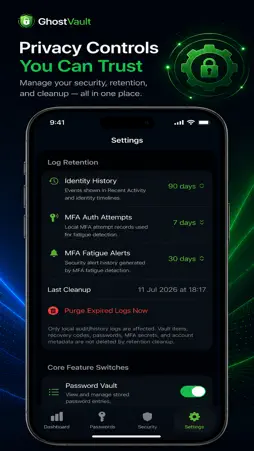
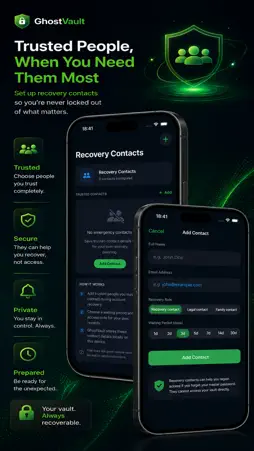
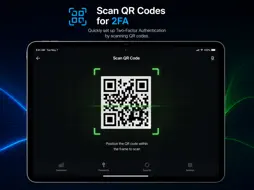
GhostVault is a privacy-focused application designed to securely manage your passwords, TOTP/MFA codes, recovery information, and identity security data all within one encrypted private vault on your device. With a strong emphasis on user control and local data storage, GhostVault ensures your sensitive credentials remain accessible only to you, safeguarded by a master password, PIN, or biometric authentication. Key Features: - Encrypted Password Vault: Store all your login credentials locally, protected by industry-standard encryption. - Master Password Protection: Your vault is secured with a master password known only to you. - PIN and Biometric Unlock: Use Face ID, Touch ID, or a PIN for quick and secure access. - Password Generator: Create strong, unique passwords effortlessly and save them directly to the vault. - Password Management: Reveal, copy, edit, or delete stored passwords with an intuitive interface. - TOTP/MFA Organizer: Manage multiple two-factor authentication accounts securely and conveniently. - QR Scanner for TOTP Setup: Quickly add MFA accounts by scanning QR codes. - MFA Import Assistant: Import supported authenticator export formats to streamline account migration. - Microsoft Authenticator Migration Guide: Step-by-step instructions to manually migrate accounts. - Identity Security Manager: Get insights into your identity’s security health, detect duplicates, and receive reminders for weak or outdated setups. - Encrypted Identity Sharing: Share encrypted identity information securely with trusted contacts. - Recovery Key Workflow: Organize your emergency recovery codes and plan emergency access. - Manual Breach Monitoring: Self-check for potential security breaches. - Travel Mode Workflow: Enhance data protection when traveling. - Wi-Fi Sync with Manual Approval: Transfer data securely between your devices with explicit user consent. - Encrypted Backup and Restore: Maintain secure backups and restore your vault when needed. - Screenshot Prevention Setting: Optionally block screenshots within the app to protect privacy. - Feature Switches: Control activation of core and premium security features. - User-Controlled Log Retention: Manage how long activity logs are stored locally. Getting Started: Set a strong master password to secure your vault upon first use. Add your passwords manually or generate new ones with the built-in generator. Organize your TOTP/MFA accounts with the organizer, adding them by scanning QR codes. Use the recovery key feature to store critical emergency codes safely. Plan emergency access for trusted contacts so they can assist if needed. Benefits: - Full control over your data with no cloud storage involved. - Family-friendly, child-safe design without unwanted content or ads. - Robust security features with an easy-to-use interface. - Ideal for parents, families, and users prioritizing digital security. GhostVault operates entirely on-device, ensuring your privacy by never transmitting or storing data externally. The app does not collect or send your master password, TOTP secrets, recovery codes, or any sensitive vault data to developers or third parties. Privacy policy and support information are accessible within the app and on our official website. GhostVault is fully compatible with iOS devices and Apple Silicon Macs, optimized for excellent performance. © 2026 GhostVault. All rights reserved. Términos de uso (EULA): https://www.apple.com/legal/internet-services/itunes/dev/stdeula/
What's New
Version 1.0.1 2026-10-08
Version 1.0 launches with a secure, locally encrypted password vault featuring advanced MFA organization, QR scanning, recovery key management, and identity sec...Version 1.0 launches with a secure, locally encrypted password vault featuring advanced MFA organization, QR scanning, recovery key management, and identity security insights. Stability and bug fixes included. Technical Analysis
Package Overview Basic metadata
Bundle ID
app.ghostvault.mobile Current Version 1.0.1
Minimum iOS 17.0
Package Size App Store Size
Package Metadata 0 / 1 version records
Detailed binary, privacy manifest, framework, and Info.plist results have not been indexed for this package yet. The verified App Store and archive metadata above remains available.
Developer Information
Known Version Records
0 version records with stored package metadata • 1 known version records
Stored metadata does not guarantee a package is currently available to download.
| Details | Version / IDs | Version date | Action |
|---|---|---|---|
| Not archived | App Store ID: 887246841 | Unknown | Request Version |