
Preview




Description
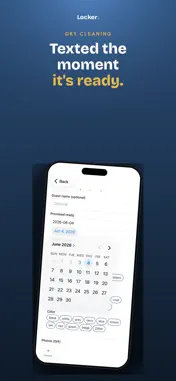
Locker Pro is the staff app for luggage storage and hotel bell desks. Check a guest's item in, hand it back, and take payment — all from one iPhone, with no tickets, no tags and no card reader. Ticketless from the start There is nothing to print and nothing for a guest to lose. An item is checked in against the guest's phone number, and they receive a text confirming it. At pickup, the last digits of that number are the claim check. Payment on the same phone Take contactless payment with Tap to Pay on iPhone — card, Apple Pay or any contactless wallet, held to the back of the phone. No terminal to buy, charge or carry. Cash is supported too, and every payment sends the guest a receipt by text. Price it your way Charge from a price list of named items, or by time — an hourly rate with an optional daily maximum, rounded up to the next hour. Collect at drop-off or at pickup, whichever suits how you work. Tips can be enabled or left off. Built for a busy desk Photo capture at intake, so what came in is what goes out Search by phone, name, tag or colour Live counts of items in, stored and requested Each staff member signs in with their own email Works for bags, coats, skis, dry cleaning and more Your money, your account Payments go directly to your own Stripe account — you are the merchant of record. Card details are never seen by the app or by us; Tap to Pay on iPhone is Apple's own validated payment technology, and processing is handled by Stripe. Requirements iPhone XS or later running iOS 18 or later. Tap to Pay on iPhone requires a supported region and a connected Stripe account. An internet connection is required. Locker Pro is provided to operators on the Locker platform. Visit uselocker.app to get started.
Technical Analysis
Package Overview Basic metadata
Bundle ID
app.uselocker.pro.ios Current Version 1.0
Minimum iOS 18.0
Package Size App Store Size
Package Metadata 0 / 0 version records
Detailed binary, privacy manifest, framework, and Info.plist results have not been indexed for this package yet. The verified App Store and archive metadata above remains available.
Developer Information
Known Version Records
0 version records with stored package metadata
Stored metadata does not guarantee a package is currently available to download.
| Details | Version / IDs | Version date | Action |
|---|