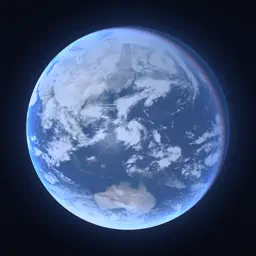
Preview








Description
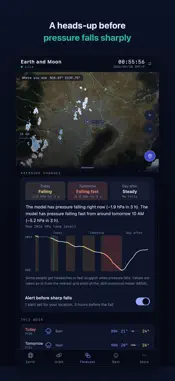
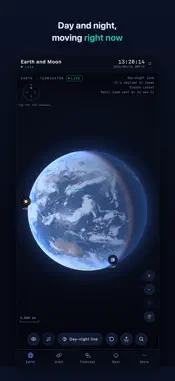
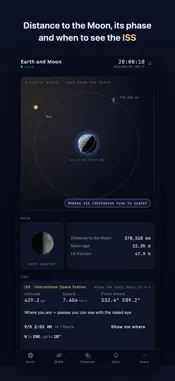
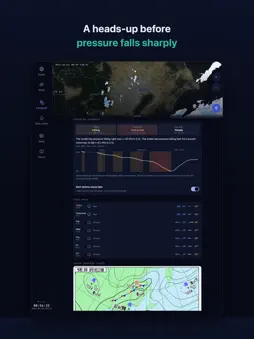
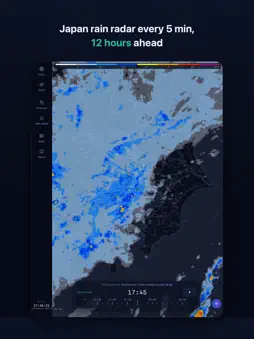
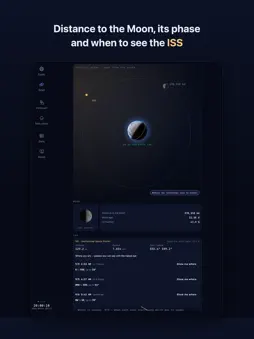
Earth and Moon is a live globe that shows what is happening on Earth right now, at the real speed. The clouds are the latest satellite images, the night lights are NASA observations, and typhoons, the International Space Station, the Sun and the Moon are all exactly where they are at this moment. Speed time up and the day–night line sweeps across the planet, the Moon travels its orbit and the rain drifts. It also tells you when the ISS will next cross your sky, and exactly where to look. FIND THE ISS • The date and time of the next pass you can see, and the direction it comes from and heads to • A compass guide: point your phone and the arrow turns, changing color when you are on target • How high to look, shown as fists held at arm's length above the horizon • An alert before a visible pass, as many minutes ahead as you choose • Made for outdoors: a button to dim the screen and one to guide you by vibration, and the screen stays on while you look • The ISS tab shows where it is flying now and, separately, a list of its next visible passes WIDGETS • Earth (day and night right now, with sunrise and sunset), ISS (when and where to look next) and Moon (phase, moonrise and moonset), for the Home Screen and Lock Screen • A forecast widget with today and tomorrow; the medium size adds the pressure line and a button to the rain radar • Tap a widget to open that part of the app; the ISS widget opens the compass guide for that pass, and the pressure line opens the pressure section in Weather EARTH • The day–night line, clouds, rain, city lights and borders • Zoom in to city level with detailed satellite imagery • Typhoons, hurricanes and the ISS, where they are now • A compass with the direction of the Sun and Moon; turn your phone and the globe turns with it WEATHER • The forecast sits in a sheet over the rain map. Drag the handle to resize it; pull it all the way down for the rain radar • Spin the globe and tap any town for its forecast, anywhere in the world • In Japan: Japan Meteorological Agency forecasts and AMeDAS observations, plus high-resolution rain radar from two hours ago to twelve hours ahead, with one line telling you when rain will reach you PRESSURE • How air pressure changes today, tomorrow and the day after, as a line and one sentence. Sharp falls are shown in color • An alert before pressure falls sharply, as many hours ahead as you choose • In Japan, values come straight from the nearest grid point of the Japan Meteorological Agency's numerical model (MSM) • Some people get headaches or feel sluggish when pressure falls. Use it as a heads-up MOON • Distance to the Moon, its age, phase and illuminated fraction • The Sun, Earth and Moon seen from above, as they line up now FIND A PLACE • By name: 6,277 world cities are built in, so suggestions appear instantly • By Japanese postcode • By coordinates, which never leave your device TIME • The day laid out as a single band, dark for night and bright for day. Touch it to jump to that time • Sunrise and sunset are where the color changes • Everything runs on one clock: move the rain forward and day and night on the globe follow SHARE A PICTURE • Turn the Earth as it is right now into an image to save or share • Choose the framing and what to show: the day–night line, the Sun, the Moon, the ISS and your place LANDSCAPE, IPAD AND IPHONE DUO • Turn your iPhone sideways and the tabs and controls turn with it into a landscape layout • On iPad, portrait matches the iPhone and landscape puts the tabs in a column on the right • On iPhone Duo, use it open or closed EASIER TO SEE • Appearance: Automatic, Light or Dark • Choose the text size and weight, and the contrast • VoiceOver describes what is drawn on the globe and the diagrams Your view and layer choices are remembered for next time. No account, no ads. Data: Japan Meteorological Agency, GSI Japan, NASA GIBS, EOX (Copernicus Sentinel-2), GeoNames, Open-Meteo, CelesTrak
What's New
Version 2.0.1 2026-11-21
Fixes for iPhone Duo. • Open: launching the app in landscape could push the tabs out of the strip on the right. They now stay in the strip • Open in portrait: ...Fixes for iPhone Duo. • Open: launching the app in landscape could push the tabs out of the strip on the right. They now stay in the strip • Open in portrait: the title and clock now sit in the strip at the top, giving the map more room • Closed in landscape: the tabs now line up with the camera Technical Analysis
Package Overview Basic metadata
Bundle ID
jp.4px.earthmoon Current Version 2.0.1
Minimum iOS 15.0
Package Size App Store Size
Package Metadata 0 / 0 version records
Detailed binary, privacy manifest, framework, and Info.plist results have not been indexed for this package yet. The verified App Store and archive metadata above remains available.
Known Version Records
0 version records with stored package metadata
Stored metadata does not guarantee a package is currently available to download.
| Details | Version / IDs | Version date | Action |
|---|