Preview


Description
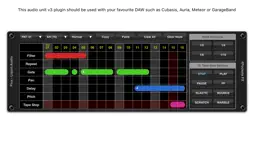
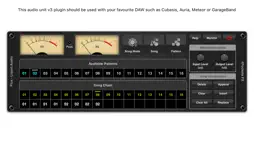
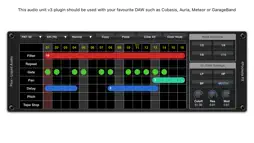
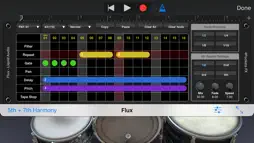
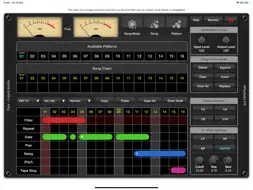
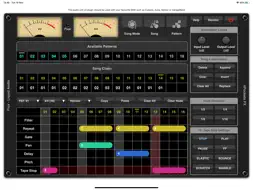
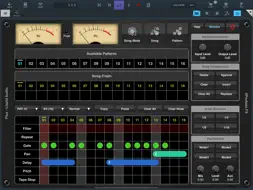
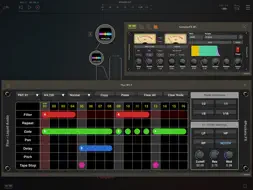
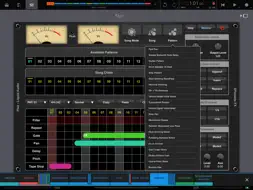
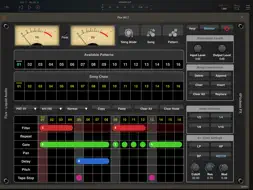
Flux Liquid Audio is a real time multi-effects processor and sequencer designed to be used as an AUv3 plugin within your favourite DAW such as Cubasis, NanoStudio, BM3, AUM etc. The plugin allows you to create patterns containing multiple effects which are triggered on beat boundaries. Patterns can be contuously looped or you can chain multiple patterns into a song. The advantage of this is that you can for instance add a delay to a particular vocal phrase rather than have a continuous delay effect on the entire vocal. You could add varying harmonies using the pitch effect or create gated stutter effects on specific parts of a string section. A pattern can be 16 to 64 beats in length and can be run at one of two speeds, standard or fast which is great for gate type effects. You can create up to 24 patterns which can be automated in any order along with your host DAW's beat position. An effect is added using nodes. A 'node' is layed on the timeline over one or more beats, each node has its own unique settings. The node divisions control varying aspects of the effects such as number of repeats, delay time, modulation speed etc. all perfectly synced to the beat using the node division buttons. There are 11 effects in total, Filter, Repeat, Gate, Pan, Delay, Pitch, Tape Stop, Reverb, Bit Cruncher, Reverse and Flanger, all of which can be used at the same time. Effects Descriptions: The filter effect allows LP, HP, BandPass and Notch filters which have definable cutoff, resonance and modulation amount. Turn the modulation up to max to start generating random cutoff and resonance values. The Repeat function was specifically designed for beat synced sources such as drum machines, allowing sections of the previous sub-beats to be repeated at varying speeds and lengths. The Gate effect can be used to create holes in the sound and generate stutter patterns or fades. This effect allows definable attack and release for each individual node. Pan allows automated panning at varying speeds, but you get to mix different panning modes and speeds at each step of the pattern. Delay is a beat synced delay which allows you to create multiple delays with varying delay times within the same pattern allowing some nice cascading effects that are not possible from a single delay alone. Pitch allows you to add independant left and right channel pitch shifting of up to +/- 12 semitones. 'Harmony' mode allows you to add vocal harmonies at specific sections of a song, while 'Glide' mode allows you to gradually transition from the current pitch to another. Tape Stop is a great addition allowing you to simulate a tape recorder stopping and starting, as well as some interesting scratch, warble, bounce and elastic effects. Bit Cruncher is a great for dirtying up specific drum hits by downsampling the audio. Flanger allows you to create subtle chorus/Celeste or heavy flanging effects which can be re-triggered or free running. Reverse is great for creating shadow notes on drum patterns by reversing the last section of audio. Reverb allows some interesting gate reverb type effects on specific sections of audio. The node divisions let you modulate the reverb trail for some interesting ambient effects. Features: ○11 great real time effects. ○Low CPU usage. ○Modulated LP, HP, BP and Notch Filters. ○Gate and Repeat effects. ○Regional Pan and Delay effects. ○Tape simulator effects. ○Mix multiple effects within a single pattern. ○Add harmonies to targetted sections of vocals. ○Patterns up to 64 beats in length. ○Create up to 24 patterns. ○256 steps per song.
What's New
Version 1.07 2025-09-02
v1.07 B10 Added scene support for compatibility with future iOS versions. Technical Analysis
Package Overview Basic metadata
Bundle ID
FPKT.Flux Current Version 1.07
Minimum iOS 13
Package Size App Store Size
Package Metadata 1 / 8 version records
Detailed binary, privacy manifest, framework, and Info.plist results have not been indexed for this package yet. The verified App Store and archive metadata above remains available.
Price History (USA store)
2 recorded price change points. These are historical observations, not a guarantee of the current price.
| Recorded at | Price | Currency |
|---|---|---|
| 12.99 | USD | |
| 9.99 | USD |
Known Version Records
1 version record with stored package metadata • 8 known version records
Stored metadata does not guarantee a package is currently available to download.
| Details | Version / IDs | Version date | Action |
|---|---|---|---|
| 7.08 MB | v1.07 App Store ID: 877678711Build: 1.07 | 2025-09-02 06:43:08 | Paid / Arcade |
| Not archived | App Store ID: 873273042 | Unknown | Paid / Arcade |
| Not archived | App Store ID: 873045904 | Unknown | Paid / Arcade |
| Not archived | App Store ID: 872776075 | Unknown | Paid / Arcade |
| Not archived | App Store ID: 833858223 | Unknown | Paid / Arcade |
| Not archived | App Store ID: 833801582 | Unknown | Paid / Arcade |
| Not archived | App Store ID: 833764138 | Unknown | Paid / Arcade |
| Not archived | App Store ID: 833671480 | Unknown | Paid / Arcade |