
Preview



Description
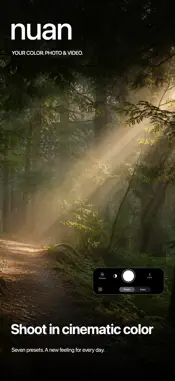
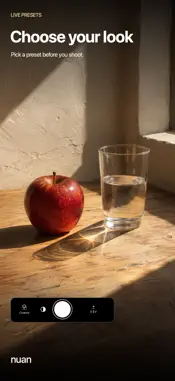
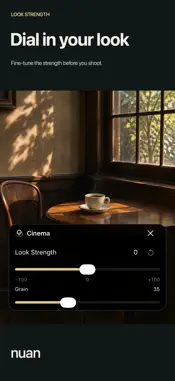
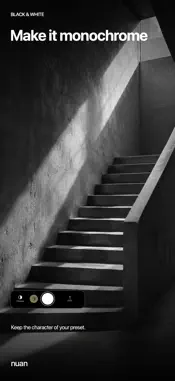
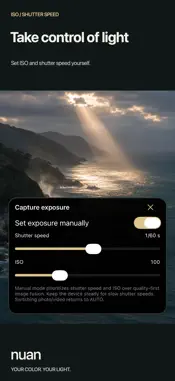
Choose your colors before you shoot. Preview your chosen look in the iPhone viewfinder for photos and videos. ■ Classic lens simulation Pair a preset with L Classic 35mm F1.4 or L Classic 50mm F1.5. Open the bar beside the shutter. Choose the lens on the left. Slide to set the aperture or tap the f-number to pick a stop. Compare backlit glow on the 35mm and foreground blur on the 50mm. Depth is estimated after capture, and you can refocus in the editor. ■ Seven built-in looks Choose from seven presets, including Cinema, Drama, and Teal & Orange. Adjust strength, grain, Light Glow, vignette and monochrome in the viewfinder. You can also compare presets on the same photo. ■ Create a look from a favorite photo Create a look from a reference photo’s color and tone. Adjust its strength and save it for photo and video. ■ Keep multiple looks with one shutter press Keep up to three extra color or monochrome looks with one original. In Compare Looks, tap a version to see it full screen, pinch or double-tap to zoom, then edit or export each look. ■ Watch light trails and flowing water build up Watch the effect build in the viewfinder, then tap to stop and save a HEIF photo you can edit. ■ AI Composition Guide and Auto Shutter Choose a frame or point for people, cats and dogs, or tap a detail to track in other scenes. The guide turns yellow when the subject is aligned. A separate rectangle shows what the camera detects. Auto Shutter takes one photo after stable alignment. Reframe for the next photo. Lock Screen capture also supports tracking. ■ Automatic look strength Let on-device analysis adjust preset strength to the scene and preview the result. ■ Your presets and Lightroom XMP Save named presets for shoots and edits, or overwrite the current preset from the camera’s look panel. Import supported Lightroom XMP settings. Rendering may differ from Lightroom. ■ RAW and photo editing Adjust exposure, highlights, shadows, white balance, grain, Light Glow and blur. Rotate, straighten and crop. Originals and edits stay separate. Export finished photos as JPEG or HEIC, or share the original DNG of a RAW photo. ■ Exposure and focus controls Use manual ISO and shutter speed, exposure compensation, AE/AF lock, manual focus, focus peaking, and a histogram. On supported cameras, the macro button selects the close-focus ultrawide lens. Auto Macro in Video settings controls automatic switching. Save frequently used settings as capture sets. Launch from Camera Control or the Lock Screen on supported iPhones. ■ Video On a supported rear wide camera, record Apple Log video, keep the original MOV and export your chosen look in SDR. On supported cameras, Motion Priority Exposure targets a 180° shutter and uses a faster shutter in bright light. Apply presets and adjustments to video. Remove unwanted sections from a single video or mute its audio. Optionally save finished photos and videos automatically to your photo library. ■ Backups and library search Back up originals, saved edits and custom presets together. Restore adds items without replacing existing IDs. Recently Deleted and app preferences are excluded. Search the gallery by preset, type or date, and filter by media, date range or preset. ■ Export profiles and quick controls Choose a saving or sharing profile, photo size, quality and location settings. Originals and backups retain source metadata. Add up to three camera shortcuts. Preview and analysis adapt to Low Power Mode and temperature. A one-time purchase includes every feature. No ads, accounts, subscriptions, or in-app purchases. Image processing, subject recognition, and scene analysis run on your device. Requires iOS 26 or later on iPhone. Photo capture supports RAW, HEIF, and JPEG. RAW capture, depth capture, resolutions, lenses, and video quality depend on your device and capture settings. Supports importing Apple ProRAW (DNG) and other RAW formats readable by iOS. Live previews may differ from final RAW development.
What's New
Version 3.0.1 2026-11-26
Improved stability when opening the camera, switching zoom levels, and deleting or restoring photos in the gallery. When you reopen Photo mode, the viewfinder ...Improved stability when opening the camera, switching zoom levels, and deleting or restoring photos in the gallery. When you reopen Photo mode, the viewfinder shows the look you last selected, including custom presets. With Preview Lens and Aperture on, swipe up or down as the camera opens to compare lenses. The lenses are now named L Classic 35mm F1.4 and L Classic 50mm F1.5. Improved lens blur where patches of the background could stay sharp behind the subject or along the edge of a photo. Technical Analysis
Package Overview Basic metadata
Bundle ID
com.yuta.RAWLookCamera Current Version 3.0.1
Minimum iOS 26.0
Package Size App Store Size
Package Metadata 0 / 0 version records
Detailed binary, privacy manifest, framework, and Info.plist results have not been indexed for this package yet. The verified App Store and archive metadata above remains available.
Developer Information
Known Version Records
0 version records with stored package metadata
Stored metadata does not guarantee a package is currently available to download.
| Details | Version / IDs | Version date | Action |
|---|