
Preview



Description
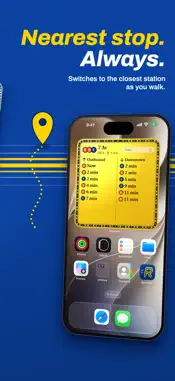
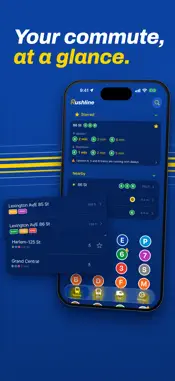
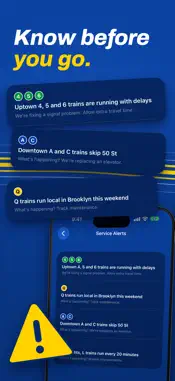
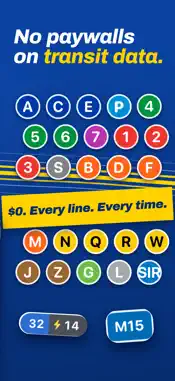
Rushline shows every way across NYC, live, before you leave your door: subway, bus, bike, PATH and commuter rail. Widgets on your Home Screen, a Live Activity on your Lock Screen, one app behind it all. WIDGETS, ALL FREE - 9 line color widgets, one per trunk. Each follows you to the closest station on that trunk. - Nearest Stop, any line - 4 PATH widgets - Bikes Nearby: the two closest stations, classic and e-bike counts, walking distance - A caution dot on a line's bullet when that line has a service alert right now (medium and large subway widgets) - Tap refresh once and every widget you have placed reloads. Outside the city, or no station nearby? Tap Retry and it checks your location again. HOW LIVE IS LIVE iOS reloads widgets about every 15 minutes. Between reloads, the minutes count down on their own. Tap to refresh for fresh data at once. A small pill shows how old the times are: amber after 15 minutes, and the times fade after 30. Screens inside the app refresh every 30 seconds. The Live Activity ticks by the second. LOCK SCREEN AND DYNAMIC ISLAND Pin a train and watch it count down by the second, with the Rush Streak moving along. A Control Center and Lock Screen control opens Rushline in one tap. ONE LIST FOR HOME Starred stops as live cards, Nearby stops, a grid of every line (with PATH and SIR), and service alerts in one place. Collapse Starred or Nearby to keep it short. SERVICE ALERTS Each alert is a card: the lines it affects, what is happening, when it runs and why. Long ones fold under Show details. The same card shows on line and station screens. BUS 386 routes and 13,477 stops, stored on your phone. Live arrivals at any stop. RAIL Metro-North and LIRR departures with track numbers. PATH Live boards for all 13 stations. If PATH data cannot load, you see the last known times and when they were updated. OFFLINE MAPS Subway map and Manhattan bus map, bundled in the app. They work when the tunnel eats your signal. WALKING TIMES See if you can make the next one. THEMES, LOOKS ONLY All transit data is free, always. Themes change how widgets look and nothing else. System and Line Color are free. 13 more themes are $1.29 each, or by pack: City Pack: Bodega, Curbside, Meadow NYC Icons Pack: Digital, Mosaic Tile, Manhattan Skyline Arts & Culture Pack: Modernist, Marquee, In Bloom Sports Pack: Pinstripe, Outfield, Hardwood, Rink Each pack is $2.99. The All Themes Pass is $9.99 and includes every theme now and later. One-time purchases, no subscriptions, Family Sharing supported. Restore Purchases is in Settings. No ads. No analytics. No accounts. Crash reports are anonymous and carry no name, location or ID. Rushline uses real-time MTA data. Built by 25C LLC, an independent studio. Not affiliated with, endorsed by, or sponsored by the Metropolitan Transportation Authority, the Port Authority, or any other transit agency. Requires iOS 18 or later.
What's New
Version 1.4 2026-10-15
New: Curbside and Meadow widget themes, in a $2.99 City Pack with Bodega. Your widgets now flag service alerts, too. WHAT'S NEW - City Pack: Bodega, Curbside a...New: Curbside and Meadow widget themes, in a $2.99 City Pack with Bodega. Your widgets now flag service alerts, too. WHAT'S NEW - City Pack: Bodega, Curbside and Meadow for $2.99. Curbside is a golden-hour street corner with a yellow cab. Meadow is a picnic on a sunny lawn. Each theme is also $1.29 on its own, and the City Pack comes first in the theme gallery - Alert dots: when a line has a service alert in effect right now, its bullet on your medium or large widget gets a small caution dot - Service Alerts, redone: each alert is a card with the lines it affects, what is happening, when it runs and why. Long ones fold under Show details. Staten Island Railway alerts now show on the SIR screen - Retry on empty widgets: "Outside the city", "Locating" and "No station nearby" now have a retry button, so you can fix them without opening the app CALMER WIDGETS - A small pill shows how old your times are. It turns amber after 15 minutes, and the times fade after 30. It shows a Wi-Fi-off symbol when your phone is offline - No more status lines under the rows, so theme art stays whole FIXES - PATH: when PATH data cannot load, the station screen shows the last known times and when they were updated, not an error - Rail: a starred trip you flipped no longer shows the same station twice Crash reports are new and anonymous: no name, location or ID. No ads. No analytics. No accounts. Technical Analysis
Package Overview Basic metadata
Bundle ID
com.25C.subwaywidget Current Version 1.4
Minimum iOS 18.0
Package Size App Store Size
Package Metadata 0 / 0 version records
Detailed binary, privacy manifest, framework, and Info.plist results have not been indexed for this package yet. The verified App Store and archive metadata above remains available.
Developer Information
Known Version Records
0 version records with stored package metadata
Stored metadata does not guarantee a package is currently available to download.
| Details | Version / IDs | Version date | Action |
|---|