Preview




Description
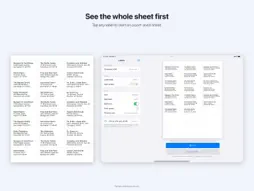
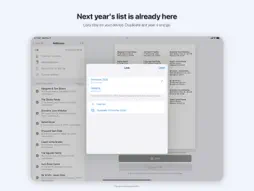
Print the addresses from your Contacts onto the label sheets you already bought. Print one test page on plain paper and Labelfit lines the labels up with your printer. HOW IT WORKS 1. Add addresses: pick people or a whole group from Contacts, paste a list or a spreadsheet, or type them in. Tick who gets a card this year. 2. Choose your label sheet by the number on the pack, such as 5160 or L7160, or enter your own sizes. 3. Print. You see the whole sheet before you print, and you can start on a part-used sheet. LINED UP WITH YOUR PRINTER Every printer puts the page in a slightly different place, and many stretch it a little along the paper path. Lay Labelfit's test page on a label sheet, hold both up to a window and read four small scales. No ruler needed. Labelfit corrects the shift and the stretch to within about a millimetre and keeps text 2 mm in from every edge, so addresses stay inside the label. Corrections are saved for each printer. SHEETS IT WORKS WITH Works with Avery 5160, 8160, 5161, 5162, 5163, 5164, 5167 (return address), 22807 (2 in round), L7160, L7163, L7161, L7159 and Avery Zweckform 3422, 3475, 3474. Any other sheet: enter its sizes. Avery and Zweckform are trademarks of their owners; Labelfit is not affiliated with them. ALSO - Several named lists, such as Christmas 2026 or Wedding, kept for next year - Return address labels: fill a whole sheet with one address - Four fonts, centered or left, bold names, optional country line - Print with AirPrint or export a PDF that is exactly the paper size PRICE Test pages are always free. Your first two prints are free, the first sheet each time, with no watermark. Labelfit Full is a one-time purchase that prints every sheet of every list. No subscription. Family Sharing is on. PRIVACY Your addresses stay on your device. Labelfit has no account and no server and sends nothing anywhere. Contacts are read only when you choose to import, and only on your device. HOW DO I… How do I print address labels from iPhone contacts? Open Addresses, tap Add from Contacts, choose a group or pick people, then Print. How do I print on Avery 5160 from an iPad? Choose Label sheet, pick 5160 / 8160, check the preview and tap Print. In the print options choose 100% or Actual Size. Why are my labels printing off-center? Your printer shifts or stretches the page a little. Print Labelfit's test page once, read the four scales and save; later prints are corrected. How do I print on a sheet that is already partly used? Tap the first free label in the preview, or use Start at label. How do I print a sheet of return address labels? Choose a return address sheet such as 5167, then set Fill sheet with to your own address. How do I keep last year's Christmas card list? Lists stay on your device. Open Lists and duplicate last year's to start this year's. How do I print labels from a spreadsheet? Copy the rows with a header (Name, Street, City, State, ZIP), then use Paste addresses or open a CSV file.
What's New
Version 1.0.1 2026-11-12
New: open this year's Christmas list straight from the Holiday Card Labels event on the App Store. Technical Analysis
Package Overview Basic metadata
Bundle ID
com.xufei.labelfit Current Version 1.0.1
Minimum iOS 17.0
Package Size App Store Size
Package Metadata 0 / 0 version records
Detailed binary, privacy manifest, framework, and Info.plist results have not been indexed for this package yet. The verified App Store and archive metadata above remains available.
Developer Information
Known Version Records
0 version records with stored package metadata
Stored metadata does not guarantee a package is currently available to download.
| Details | Version / IDs | Version date | Action |
|---|