Preview





Description
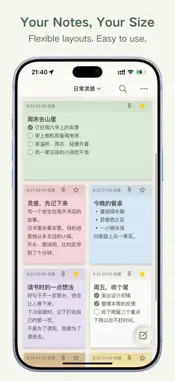
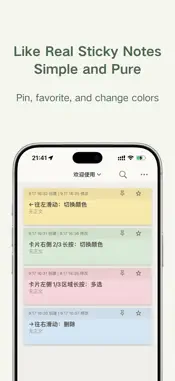
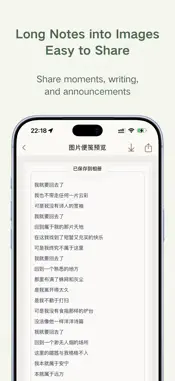
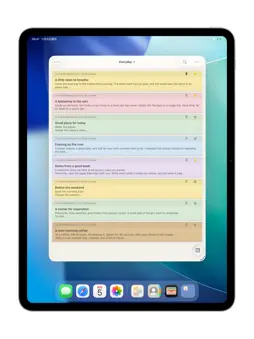
Sticky Notea is a lightweight, thoughtfully designed place for the words you want to keep close. When an idea arrives, you shouldn't have to build a system before writing it down. Open the app, start typing, and your thought becomes a note you can see, revisit, and arrange with ease. Use it for a quick reminder, today's to-do list, a coffee recipe, a travel plan, a line of writing, or any small detail worth keeping. Designed for everyday notes: • Multiple ways to view Move between Standard List, Compact List, and Card View. Scan many notes at once, or browse them like paper notes laid out in front of you. • Simple organization Keep things clear with groups, search, pinned notes, favorites, and colors—without turning your notes into a complicated filing system. • Beautiful note images Turn a note into a polished, paper-inspired image for sharing ideas, lists, announcements, and quote cards, or save it directly to Photos. • Make it feel like yours Choose from paper colors, themes, layouts, and display options, with full Dark Mode support. A clean interface, gentle colors, and subtle motion make writing and organizing feel calm and natural. • Rich text, kept simple Use headings, lists, checklists, quotes, and bold text when you need more structure. Capture one line in a moment, or shape a longer thought at your own pace. • Local backup Export and restore your notes manually whenever you want to keep a copy or move them to another device. • App lock Protect personal notes with your device passcode or biometrics. Sticky Notea stays focused on writing, arranging, and seeing your notes clearly. It is simply a small piece of paper, ready whenever an idea finds you.
What's New
Version 1.2 2026-11-20
What’s new: • Organise notes in batches. Select multiple notes to move them to another group or change their colour together. • Collapse the rich-text toolbar a...What’s new: • Organise notes in batches. Select multiple notes to move them to another group or change their colour together. • Collapse the rich-text toolbar and choose its position: left, centre or right. • Choose from three text sizes for note paper. • Bookmark groups. Swipe left on a group to add a red bookmark and make it easier to find. • Improved Card View on iPad, with multiple cards arranged side by side to make better use of the screen. • Improved group controls. Open new groups as soon as you create them, and use the new drag handles to reorder groups in edit mode. • Improved search, with a search field that stays at the top. • Improved layouts when using larger system text sizes. • Refined the interface and visual hierarchy. • Improved animations for pinning, dragging, selecting multiple notes and switching views. • Fixed several known issues. Updates for Pro users: • Hide groups by swiping left in the group list. Their notes are hidden from All Notes, Favourites, search results and widget summaries on this device. • Added the Artisan theme. • Added an Artisan note-image style, with improved previews and sharing for long images. • Improved the appearance of paper that matches each note’s colour. Technical Analysis
Package Overview Basic metadata
Bundle ID
com.ga.stickynotea Current Version 1.2
Minimum iOS 15.0
Package Size App Store Size
Package Metadata 0 / 0 version records
Detailed binary, privacy manifest, framework, and Info.plist results have not been indexed for this package yet. The verified App Store and archive metadata above remains available.
Developer Information
Known Version Records
0 version records with stored package metadata
Stored metadata does not guarantee a package is currently available to download.
| Details | Version / IDs | Version date | Action |
|---|