Preview




Description
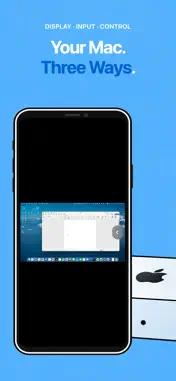
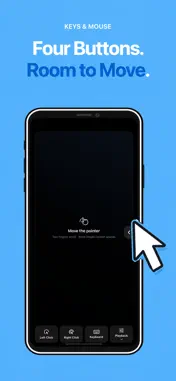
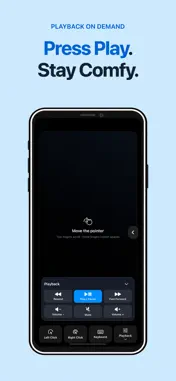
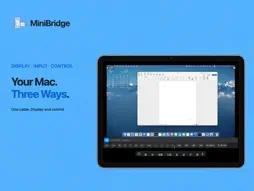
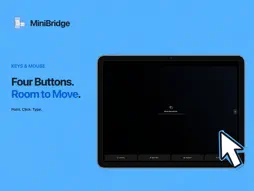
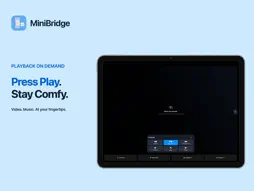
Take your Mac mini with you and leave a monitor behind. MiniBridge turns your iPhone or iPad into a local Mac display, trackpad, and keyboard over USB or Wi-Fi. After initial setup, compatible macOS versions can create a virtual desktop without an attached monitor. Initial Mac setup and FileVault pre-boot unlock still need a physical monitor. Internet remote access is not supported. BEFORE YOU CONNECT Install the free Mac companion and allow Screen Recording and Accessibility. On your first USB connection, choose “Trust This Computer” on iPhone or iPad. If virtual display is unavailable, mirror an attached monitor. THREE WAYS TO USE YOUR MAC • Display: use your phone or tablet as the screen with an external mouse and keyboard. • Keys & Mouse: use a trackpad, keyboard, and playback controls when your Mac already has a monitor. • Desktop Control: view the Mac desktop, tap to interact, and open the on-screen keyboard. All three modes support iPhone and iPad in portrait and landscape. TOUCH AND AIR MOUSE Click, drag, right-click, scroll with two fingers, switch desktops with gestures, and use common keyboard shortcuts. In Keys & Mouse, Air Mouse moves the Mac pointer with your wrist. Adjust sensitivity from 50% to 200%, pause, or reset it. Show playback and volume controls when needed. Media-key support depends on the player and audio output; seeking has no guaranteed time interval. Sound plays on the Mac or its connected audio device. LOCAL CONNECTION, PRIVATE BY DESIGN • Connect directly by USB or pair over encrypted local Wi-Fi. • One USB cable carries display and control data while the Mac uses the iPhone Personal Hotspot you enable. MiniBridge never changes network routes automatically. • No MiniBridge account, advertising, third-party analytics SDK, cloud screen relay, or automatic diagnostic upload. • Wi-Fi pairing credentials stay in Apple Keychain. PURCHASES AND TRIAL MiniBridge is free to download. Choose a one-time lifetime purchase or a monthly auto-renewing subscription; both include all features. Eligible new subscribers get a 7-day full-feature trial after confirming the subscription with Apple. After the trial, it auto-renews at the displayed monthly price unless canceled. To avoid a charge, cancel in your Apple subscription settings at least 24 hours before the trial or current period ends. Lifetime access is charged once and does not renew. Buying it does not cancel an existing monthly subscription; cancel that separately in Apple settings to prevent further charges. Existing lifetime purchases remain valid. Previously started app-managed trials keep their original end date without automatic charges. Prices are shown by the App Store. The Mac companion is free, with no per-Mac fee. Requires iOS/iPadOS 17 or later and macOS 14 or later. Personal Hotspot must be enabled by you in Settings, and availability depends on your carrier and plan. Mac companion and setup: https://minibridge.tinytiny.cn/download.html Support: https://minibridge.tinytiny.cn/troubleshooting.html Privacy Policy: https://minibridge.tinytiny.cn/privacy.html Terms of Use (Apple Standard EULA): https://www.apple.com/legal/internet-services/itunes/dev/stdeula/
What's New
Version 1.0.8 2026-11-12
Fixed some issues. Technical Analysis
Package Overview Basic metadata
Bundle ID
com.zhangchao.minibridge.ios Current Version 1.0.8
Minimum iOS 17.0
Package Size App Store Size
Package Metadata 0 / 0 version records
Detailed binary, privacy manifest, framework, and Info.plist results have not been indexed for this package yet. The verified App Store and archive metadata above remains available.
Developer Information
Known Version Records
0 version records with stored package metadata
Stored metadata does not guarantee a package is currently available to download.
| Details | Version / IDs | Version date | Action |
|---|