
Preview






Description
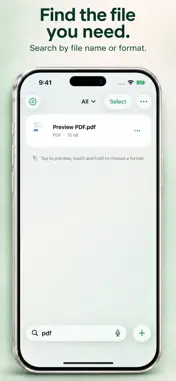
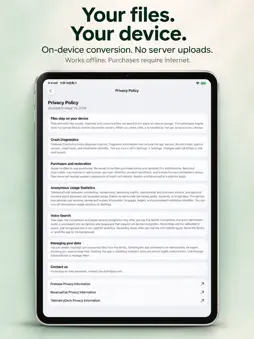
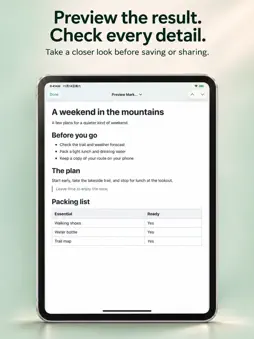
Need a JPG photo, an MP4 video, or a PDF document? Convert HEIC to JPG, MOV to MP4, Word (DOCX) to PDF, and photos to PDF on your iPhone or iPad. Preview the result, then save or share it. COMMON CONVERSIONS • HEIC to JPG and PNG to JPG • MOV to MP4 • Word (DOCX), Excel (XLSX), and PowerPoint (PPTX) to PDF • Photos to PDF • WAV to MP3 Available options depend on your source file and device. ON-DEVICE CONVERSION Supported conversions run on your device, without uploading your files to a remote conversion server. Convert locally even in Airplane Mode. Purchases, purchase restoration, and other online services require an internet connection. MANY FILE TYPES, ONE LIBRARY Work with 80+ input formats across PDF and Office documents, images, audio, video, text, tables, structured data, ebooks, subtitles, and archives. Available conversion options depend on the file and your device. View the supported-format list in the app for details. IMPORT FROM OTHER APPS Send files to Filee from another app's share menu. Preview the imported files and continue converting in Filee. Share multiple conversion results as individual files, or choose a ZIP archive when you want one package. The receiving app determines which shared items it accepts. PREVIEW, SAVE, AND SHARE Preview supported files before converting and check the results before saving or sharing. Keep the original alongside the result. Organize files into folders, move multiple files at once, search by file name or format, sort and filter your library, and switch between list and grid views. CONVERT AND PREVIEW BEFORE SAVING Free library storage is limited to 50 files. Pro removes this limit; existing files are not automatically deleted. Convert and preview for free, then decide whether to save or share the result. Your first successful save or share of a result uses one allowance; three result saves or shares are free, without watermarks. Cancelling or discarding a result does not use an allowance. The guided sample is free. Single-result unlocks, monthly and annual subscriptions, and a lifetime purchase are available in the app. Prices and terms appear on the App Store purchase confirmation screen. Monthly and annual subscriptions renew automatically unless cancelled in your Apple account settings. A lifetime purchase does not automatically cancel an existing subscription. CONVERSION COMPATIBILITY Compatibility varies by format, encoding, and file structure. Protected or damaged files may not convert. Formatting can change, and some conversions preserve pages as images rather than editable text, tables, or slides. Keep your original file and check the result. Some conversions use a bundled iSH/Linux environment to run predefined tasks. Filee does not provide a terminal or a way to run custom commands or install software. For help, use Product Feedback in the app. Terms: https://www.duanjiao.work/filee-site/terms/ Apple Standard EULA: https://www.apple.com/legal/internet-services/itunes/dev/stdeula/
What's New
Version 1.0.7 2026-11-20
• Move files in bulk from source folders or select individual files. • Search file names or formats, see matching counts by folder, and keep selections when swi...• Move files in bulk from source folders or select individual files. • Search file names or formats, see matching counts by folder, and keep selections when switching sources. • Refined selection controls and floating search; prevented moves back into the current folder. • Updated library storage and Pro benefit information. Technical Analysis
Package Overview Basic metadata
Bundle ID
com.doraemon.filee Current Version 1.0.7
Minimum iOS 17.0
Package Size App Store Size
Package Metadata 0 / 0 version records
Detailed binary, privacy manifest, framework, and Info.plist results have not been indexed for this package yet. The verified App Store and archive metadata above remains available.
Developer Information
Known Version Records
0 version records with stored package metadata
Stored metadata does not guarantee a package is currently available to download.
| Details | Version / IDs | Version date | Action |
|---|