
Preview







Description
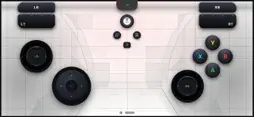
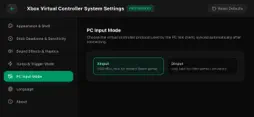
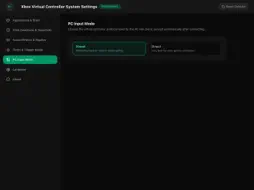
Turn your smartphone into a fully-functional, ultra-low-latency wireless gaming controller for Windows PC! Whether you want to play the latest AAA titles on Steam, dive into classic retro games on Windows Emulators, or simply need a backup gamepad, [App Name] has you covered. By supporting both XInput and DInput protocols, it perfectly emulates an official Xbox Controller, giving you the ultimate gaming experience without buying extra hardware. Key Features: Full Xbox Emulation: Fully compatible with any PC game that supports Xbox controllers, including Windows Store and Steam games. XInput & DInput Support: Seamlessly switch between modern XInput and classic DirectInput protocols to support both modern titles and retro emulators. mDNS Auto-Discovery: No manual IP typing required. Fire up the server on your PC, open the app, and connect instantly over your local Wi-Fi. Fully Customizable Layout: Don’t like the default setup? Resize, reposition, and rebind every button, D-pad, and analog stick to fit your hands perfectly. Lag-Free Performance: Optimized network protocols ensure snappy response times and competitive, low-latency gaming. Perfect For: PC Gamers: Use it as a player-2 controller for couch co-op. Emulator Enthusiasts: Perfect for RetroArch, PCSX2, RPCS3, Dolphin, and other Windows emulation software. Gamers on the Go: Play your PC games anywhere in the house.
What's New
Version 5.0 2026-10-30
Bug fixes and performance improvements. Technical Analysis
Package Overview Basic metadata
Bundle ID
com.xumingxun.gamepad.app Current Version 5.0
Minimum iOS 15.0
Package Size App Store Size
Package Metadata 0 / 0 version records
Detailed binary, privacy manifest, framework, and Info.plist results have not been indexed for this package yet. The verified App Store and archive metadata above remains available.
Developer Information
Known Version Records
0 version records with stored package metadata
Stored metadata does not guarantee a package is currently available to download.
| Details | Version / IDs | Version date | Action |
|---|