Preview


Description
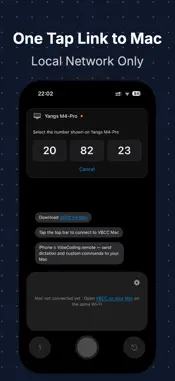
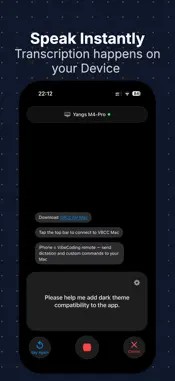
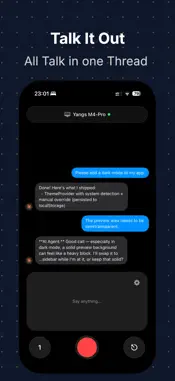
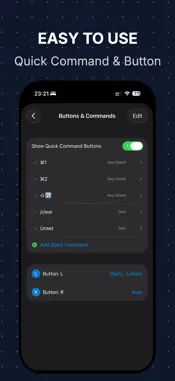
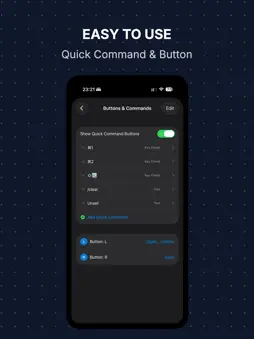
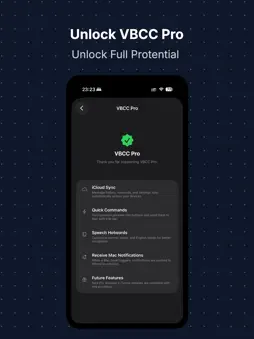
Turn your iPhone into a remote control for your Mac. VBCC combines voice input, keyboard shortcuts, custom commands, and a trackpad in one app. Work, write, present, and code with convenient Mac controls on your iPhone. VOICE INPUT — SPEAK AND SEND Dictate on your iPhone and send recognized text directly to the active input field on your Mac. Use Apple's built-in speech recognition or configure Doubao ASR. Choose your recognition language and audio input device. REMOTE KEYBOARD — CONTROLS AT YOUR FINGERTIPS Send navigation and editing keys from your iPhone, including modifier key combinations. Save frequently used text, prompts, and key combinations as customizable shortcut buttons. Integrate them with Apple Shortcuts and the Action Button on supported iPhones. REMOTE TRACKPAD Control your Mac's cursor directly from your iPhone: • One-finger cursor movement • Tap to click and double-tap to double-click • Long-press and drag • Two-finger tap for right-click • Two-finger horizontal and vertical scrolling with momentum • Adjustable cursor and scrolling sensitivity THREE HOME LAYOUTS Switch between the Messages layout for dictation and history, the Shortcuts layout for quick actions, and the Trackpad layout for pointer control. MESSAGES AND DEVELOPER TOOLS Keep your message history locally, with copy, resend, and Markdown preview support. You can even dictate and save messages while disconnected, then manually resend them when your Mac reconnects. MORE TOOLS • Custom speech vocabulary and hotwords • iCloud sync for messages, shortcuts, and settings • Notifications from Claude Code, Codex, and Cursor via Mac Hooks On your Mac, you can optionally configure Ollama or Doubao for text refinement. Model services are configured separately and are not included with VBCC. YOUR LANGUAGE, YOUR WORKFLOW Use VBCC in 17 languages: English, Simplified and Traditional Chinese, Spanish, German, Japanese, Korean, French, Italian, Brazilian Portuguese, Russian, Turkish, Indonesian, Arabic, Hindi, Thai, and Vietnamese. Switch the interface language in Settings or follow your system. Speech recognition language is configured separately. PRIVATE, SIMPLE, AND DIRECT Connect your iPhone and Mac over a local network or supported P2P/AWDL connection. No VBCC account required. REQUIREMENTS • iPhone with iOS 26 or later • VBCC Mac companion app, macOS 13 or later • Local Network permission on iPhone • Accessibility permission on Mac • Trackpad requires VBCC Mac 2.0 or later Download the Mac app and explore the setup guide: https://imyiangyang.top/app/vbcc/
What's New
Version 2.1.0 2026-11-05
• VBCC now supports 17 interface languages, including Arabic, Hindi, Thai, and Vietnamese. • Choose your language in Settings or follow the system, with changes... Technical Analysis
Package Overview Basic metadata
Bundle ID
imyiangyang.vbcc-ios Current Version 2.1.0
Minimum iOS 26.0
Package Size App Store Size
Package Metadata 1 / 2 version records
Detailed binary, privacy manifest, framework, and Info.plist results have not been indexed for this package yet. The verified App Store and archive metadata above remains available.
Developer Information
Known Version Records
1 version record with stored package metadata • 2 known version records
Stored metadata does not guarantee a package is currently available to download.
| Details | Version / IDs | Version date | Action |
|---|---|---|---|
| 6.24 MB | v1.4.1 App Store ID: 887255176Build: 1.4.1 | 2026-08-25 07:44:59 | Get Version |
| Not archived | App Store ID: 886048006 | Unknown | Request Version |