
Preview


Description
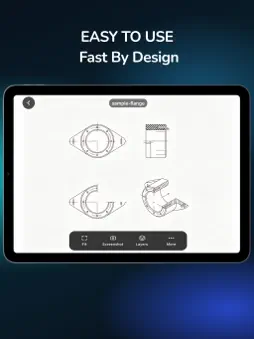
ViewCAD Pro is a fast, professional DWG and DXF viewer for iPhone and iPad — fully offline, and yours to keep with a single purchase. Open a drawing from any app and it appears immediately, rendered on your device. No upload, no conversion, no waiting on a server. FAST BY DESIGN • Drawings are parsed and rendered locally by a built-in CAD engine, so opening never depends on your connection or a server queue • Smooth zoom and pan, even on large drawings • The recent list brings you back to a drawing in one tap FULLY OFFLINE, FULLY PRIVATE • Works with no internet connection at all — airplane mode, site basements, remote locations • Your drawings never leave your device. Nothing is uploaded and nothing is stored on a server, which makes it a safe choice for confidential or client work • No account, no sign-up, no ads, no third-party tracking • Clear your recent list at any time in Settings ONE PURCHASE, YOURS TO KEEP • One-time purchase. No subscription, no in-app purchases, no recurring charges • Every feature is included — nothing is locked behind a paywall • Ongoing app updates are included at no extra cost OPEN ANY DWG OR DXF • Supports both major CAD formats used across engineering, architecture, and manufacturing • Opens files shared from other apps — Files, Mail, chat apps, cloud drives. Tap Share or Open in, and ViewCAD Pro goes straight to the drawing • Three sample drawings are included (mechanical flange, floor plan, electrical schematic) so you can try it before importing your own LAYER CONTROL AND CANVAS • The layer panel lists every layer with its original color • Turn layers on and off to isolate the geometry that matters to you • Switch between dark and light canvas in one tap — dark for site work, light for checking against screens or paper NAVIGATION AND CAPTURE • Pinch to zoom, drag to pan, double-tap to fit • The Fit button frames the entire drawing instantly • The toolbar fades away so the drawing fills the screen — landscape and portrait, on both iPhone and iPad • Save the current view as a screenshot to your photo library, or share the original file with colleagues LANGUAGES English, Simplified Chinese, Traditional Chinese, Japanese, Korean, Spanish, French, German, Portuguese, Russian, and Italian. Follows your system theme, or set light and dark manually. GOOD TO KNOW • ViewCAD Pro is a viewer — it does not modify, edit, or convert drawings • Very large files can take a moment to open on older devices • No account or personal information is required to use the app FEEDBACK Questions, bug reports, or feature requests? The in-app Feedback form reaches us directly.
What's New
Version 1.0.1 2026-09-22
1. Fix known issues 2. Optimize Layout Switching Technical Analysis
Package Overview Basic metadata
Bundle ID
com.viewcadpro.app Current Version 1.0.1
Minimum iOS 16.4
Package Size App Store Size
Package Metadata 0 / 0 version records
Detailed binary, privacy manifest, framework, and Info.plist results have not been indexed for this package yet. The verified App Store and archive metadata above remains available.
Developer Information
Known Version Records
0 version records with stored package metadata
Stored metadata does not guarantee a package is currently available to download.
| Details | Version / IDs | Version date | Action |
|---|