Preview


Description
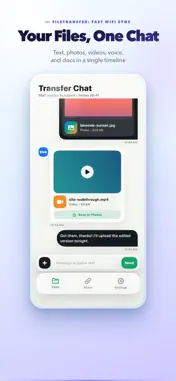
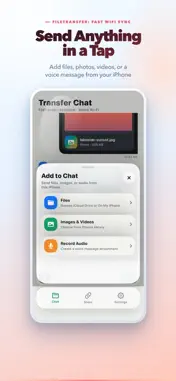
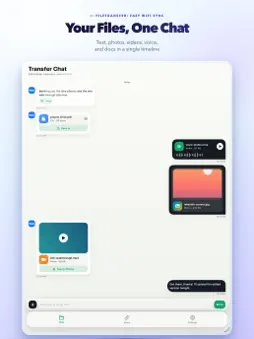
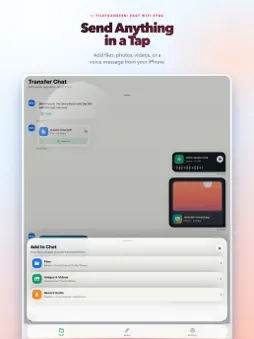
FileTransfer makes it easy to move files between your iPhone and the devices around you. Need to send photos to a computer, move a document back to your phone, share a video with another device, or pass a quick note without hunting for a cable? Open FileTransfer, start sharing, and use any nearby browser on the same Wi-Fi. Everything appears in one simple transfer chat, so it feels familiar: send a message, add a file, pick photos or videos, or record a voice note. Files from the browser arrive in the same timeline, making it easy to see what was sent and what still needs attention. What you can do with FileTransfer: - Send files from iPhone to Mac, PC, tablet, or another phone - Receive files from a browser back to your iPhone - Move photos, videos, documents, audio, and text - Preview photos, videos, and voice notes before saving or opening - Save received photos and videos to your Photos library - Open received documents in other apps - Keep a clear transfer history you can review or clean up - Share without creating an account FileTransfer is built for everyday moments: Send vacation photos to your laptop. Move a PDF from your computer to your phone. Record a quick voice note and share it instantly. Collect files from another device without emailing them to yourself. Transfer work files when AirDrop is not available. Your transfers stay under your control. FileTransfer is designed for nearby sharing on Wi-Fi, with no sign-in required and no cloud drive to manage. For best results, keep your iPhone open while sharing and make sure both devices are connected to the same Wi-Fi network. Terms of Use (EULA): https://www.apple.com/legal/internet-services/itunes/dev/stdeula/ Privacy Policy: https://filetransfer.iamdev.me/privacy.html Terms of Service: https://filetransfer.iamdev.me/terms.html Support: [email protected]
What's New
Version 1.1 2026-07-26
Bug fixes & small performance improvements. Technical Analysis
Package Overview Basic metadata
Bundle ID
me.iamdev.FileTransfer Current Version 1.1
Minimum iOS 18.6
Package Size App Store Size
Package Metadata 0 / 2 version records
Detailed binary, privacy manifest, framework, and Info.plist results have not been indexed for this package yet. The verified App Store and archive metadata above remains available.
Developer Information
Known Version Records
0 version records with stored package metadata • 2 known version records
Stored metadata does not guarantee a package is currently available to download.
| Details | Version / IDs | Version date | Action |
|---|---|---|---|
| Not archived | App Store ID: 888851787 | Unknown | Request Version |
| Not archived | App Store ID: 887823735 | Unknown | Request Version |