
Preview



Description
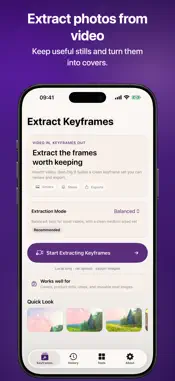
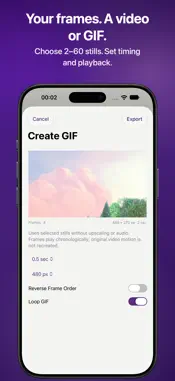
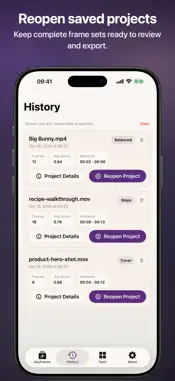
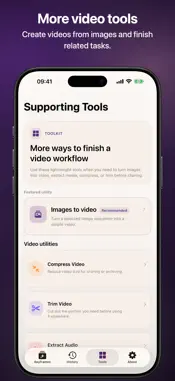
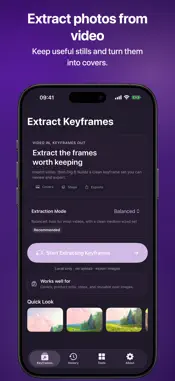
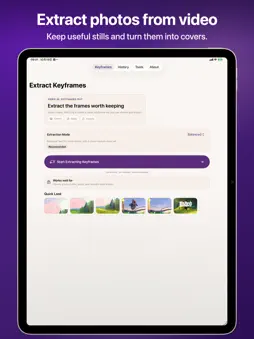
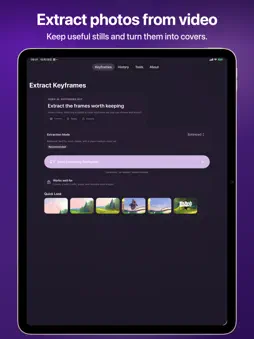
Turn a moment in your video into a photo, cover image or illustrated step. Dig It extracts keyframes so you can review the useful frames together and export the ones you choose. Make a video or GIF from selected frames Select 2–60 extracted frames and export a silent MP4 or animated GIF. Preview the sequence, set how long each frame stays on screen, reverse the order and choose whether your GIF loops. The result plays the selected still images in sequence, keeps their aspect ratio and does not upscale them. Choose the frames worth keeping Import a local video and choose Balanced, Cover or Steps mode. Review timestamps, compare results, select useful images and remove unwanted frames. Make covers and visual overviews Crop a cover and export it as PNG or JPEG, with an optional JPEG size limit. Arrange selected frames with timestamps in an automatically paginated A4 or Letter PDF contact sheet. Save results for later Tap Save to keep the full result set in History and reopen it later. Export selected stills as PNG for tutorial notes, product listings, presentations or reference boards. Local video processing Extraction runs on your device without uploading the video to a server. Available frames and image detail depend on your source video. More video tools Trim or compress video, extract audio, or turn images into a video. These utilities are available in Tools.
What's New
Version 1.4.5 2026-11-11
Turn selected keyframes into a silent MP4 or animated GIF, with adjustable timing, reverse playback and GIF looping. Technical Analysis
Package Overview Basic metadata
Bundle ID
com.luopeike.DigItVideo Current Version 1.4.5
Minimum iOS 18.0
Package Size App Store Size
Package Metadata 1 / 9 version records
0.0 / 5.0 (0 ratings)
Detailed binary, privacy manifest, framework, and Info.plist results have not been indexed for this package yet. The verified App Store and archive metadata above remains available.
Developer Information
Known Version Records
1 version record with stored package metadata • 9 known version records
Stored metadata does not guarantee a package is currently available to download.
| Details | Version / IDs | Version date | Action |
|---|---|---|---|
| 5.77 MB | v1.4.2 App Store ID: 886369280Build: 1.4.2 | 2026-09-17 04:09:28 | Get Version |
| Not archived | App Store ID: 885946959 | Unknown | Request Version |
| Not archived | App Store ID: 885213689 | Unknown | Request Version |
| Not archived | App Store ID: 880662675 | Unknown | Request Version |
| Not archived | App Store ID: 871490889 | Unknown | Request Version |
| Not archived | App Store ID: 871242670 | Unknown | Request Version |
| Not archived | App Store ID: 868385395 | Unknown | Request Version |
| Not archived | App Store ID: 867370845 | Unknown | Request Version |
| Not archived | App Store ID: 867222942 | Unknown | Request Version |