Preview





Description
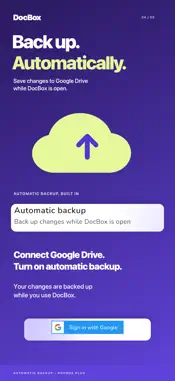
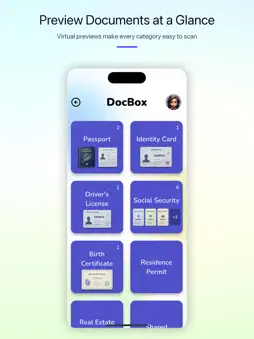
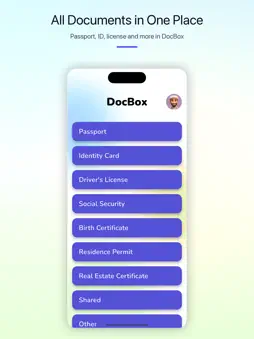
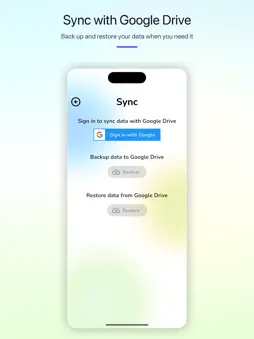
Keep important documents organized and ready when you need them. Scan or import passports, ID cards, driver’s licenses, certificates and other records. DocBox keeps their images, files and key details together in one clear library. SCAN AND ORGANIZE • Capture multi-page documents or import existing photos and files • Keep document numbers, expiry dates, tags and attachments together • Create custom document types for the way you organize • Use separate profiles for family members OCR AND FULL-TEXT SEARCH DocBox Plus can recognize text in document images, suggest a document type, and fill in a detected document number and expiry date. Search that recognized text later to find a document even when the words are not in its title or tags. NEVER MISS AN EXPIRY DATE Add an expiry date and receive reminders 90, 30 and 7 days before it expires, so you have time to renew important documents. PRIVATE BY DEFAULT Documents are stored in DocBox’s private app storage on your device by default. Protect access with your device’s supported authentication method, such as fingerprint or face recognition. OPTIONAL GOOGLE DRIVE BACKUP Connect your Google Drive account to back up and restore your DocBox library. With automatic backup enabled, DocBox saves changes while the app is open. MORE USEFUL FEATURES • Visual document previews • Fast search by title, type, number or tag • PDF export • Google Drive backup and restore • Multiple recognition languages Whether you are preparing for a trip, keeping family records organized or tracking important expiry dates, DocBox helps you find the right document faster. Some features—including OCR auto-fill, OCR text search, expiry reminders and automatic backup—require DocBox Plus. Google Drive sign-in is required for cloud backup. Notification permission is required for reminders. OCR searches text recognized from image pages, not the contents of PDF or Office attachments. Choose Automatic, Chinese, English, Japanese or Korean recognition in Settings. Terms of Use (EULA): https://www.apple.com/legal/internet-services/itunes/dev/stdeula/
What's New
Version 2.0.3 2026-11-02
Move documents between categories from the document menu. Improved access to DocBox Plus purchase options. Technical Analysis
Package Overview Basic metadata
Bundle ID
com.mason.docbox Current Version 2.0.3
Minimum iOS 15.5
Package Size App Store Size
Package Metadata 0 / 2 version records
Detailed binary, privacy manifest, framework, and Info.plist results have not been indexed for this package yet. The verified App Store and archive metadata above remains available.
Known Version Records
0 version records with stored package metadata • 2 known version records
Stored metadata does not guarantee a package is currently available to download.
| Details | Version / IDs | Version date | Action |
|---|---|---|---|
| Not archived | App Store ID: 888188547 | Unknown | Request Version |
| Not archived | App Store ID: 885721335 | Unknown | Request Version |