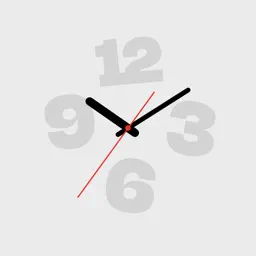
Preview

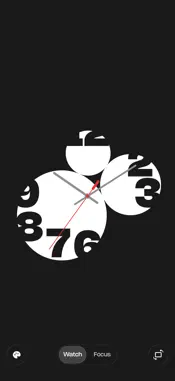


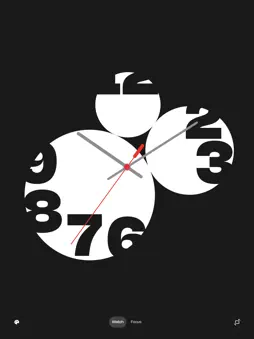

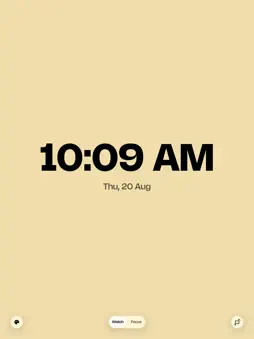
Description
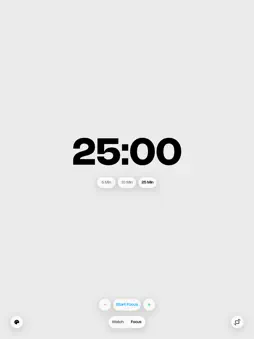
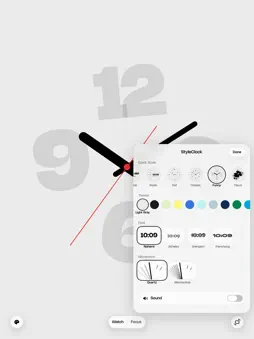
Make time visible. StyleClock turns your iPhone or iPad into a clean, expressive full-screen clock and focus companion. Pick a look that fits your desk, room, study session, or daily routine. SIX CLOCK STYLES • Digital — clear and precise • Radio — a tuner dial, seconds turning under a fixed pointer • Dot — animated dots and movement • Classic — a traditional clock face • Funny — oversized time at a glance • Cloud — hours hidden in the dial, uncovered by overlapping discs CUSTOMIZE THE DETAILS • 19 color themes for light, dark, and colorful setups • Quartz, mechanical, and dot movement options on supported faces • Simple sound on/off control • Portrait and landscape layouts • Optimized for iPhone and iPad, including resizable iPad windows FOCUS TIMER • Quick 5, 10, and 25-minute presets • Adjust any session from 1 to 60 minutes • Start, pause, resume, or end a session with simple controls HOME SCREEN WIDGETS Add a minimal StyleClock face to your Home Screen in multiple widget sizes, including extra-large on iPad. PRIVATE BY DESIGN No account is required. No ads. No tracking. Your preferences stay on your device. StyleClock keeps time simple, visible, and personal.
What's New
Version 1.3 2026-08-21
Every dial gets a new look, and you can pick the one you like. • Four number styles to choose from, right in the skin panel next to Clock Style and Theme. • W... Technical Analysis
Package Overview Basic metadata
Bundle ID
com.mattshan.StyleClock Current Version 1.3
Minimum iOS 17.0
Package Size App Store Size
Package Metadata 0 / 0 version records
Detailed binary, privacy manifest, framework, and Info.plist results have not been indexed for this package yet. The verified App Store and archive metadata above remains available.
Known Version Records
0 version records with stored package metadata
Stored metadata does not guarantee a package is currently available to download.
| Details | Version / IDs | Version date | Action |
|---|