Preview




Description
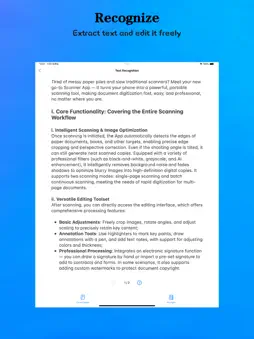
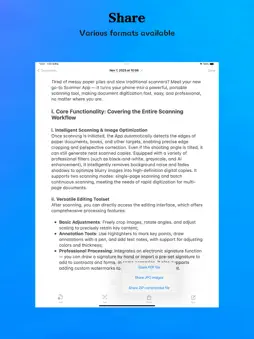
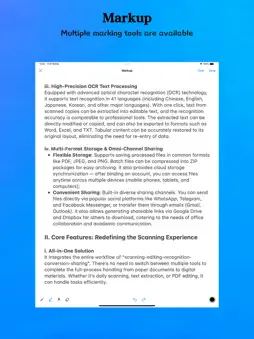
Tired of messy papers and slow scanners? Turn your phone into a powerful portable tool with our Scanner App - fast, easy, professional document digitization anywhere. I. Core Functionality i. Intelligent Scanning & Optimization Auto-detects document edges for precise cropping and perspective correction (even tilted shots). Professional filters (B&W, grayscale, AI enhancement) remove noise, shadows, turning blurry images into HD digital copies. Supports single-page or batch scanning for multi-page docs. ii. Versatile Editing Post-scan editing tools include: - Basic adjustments: Crop, rotate, scale to keep key content; - Annotations: Highlight, draw, add text (custom colors, thickness); - Pro features: Electronic signatures (hand-drawn, imported) and custom watermarks for copyright protection. iii. High-Precision OCR Advanced OCR supports 41 languages (English, Chinese, Japanese, etc.). One-click extraction of editable text from scans (accuracy matches pro tools). Export to Word, Excel, TXT — tables retain original layout, no retyping needed. iv. Multi-Format Storage & Sharing - Storage: Save as PDF, JPEG, PNG; batch files compress to ZIP. Cloud sync (phone, tablet, laptop access via linked account); - Sharing: Send via WhatsApp, Telegram, Facebook Messenger; email (Gmail, Outlook); or share via Google Drive, Dropbox links for collaboration. II. Core Features i. All-in-One Solution No tool-switching — handle "scan, edit, recognize, convert, share" from paper to digital. ii. Clean & Intuitive Interface Minimalist design, clear icons for core functions (no ads, redundant modules). New users get started instantly. iii. Easy to Use Auto edge detection, optimization reduces manual work. One-click OCR, conversion (no complex settings). Novices finish scan, save in 30 seconds. iv. Time-Saving Efficiency Batch scan: 10+ pages/min; OCR: 1s response. No re-typesetting post-conversion — 10x faster than traditional scanners (ideal for pros, students). III. Key Scenarios - Office Work: Contract archiving, invoice OCR, PPT text extraction, cross-team sharing; - Academic Learning: Test paper re-practice (remove handwriting), book content organization, note backup; - Daily Life: Old photo HD restoration, recipe, instruction manual scanning. Subscriptions PDF Scanner offers auto-renewable subscriptions. Payment is charged to your iTunes account at confirmation. Subscriptions renew automatically unless canceled at least 24 hours before the end of the current period. Manage your subscription and turn off auto-renewal in your Account Settings. Terms of Use : https://kdocs.cn/l/cmb9uPBBUM02 Privacy Policy : https://kdocs.cn/l/cmTBSASvUirU
What's New
Version 1.2.2 2026-09-10
Fix some minor bugs. Technical Analysis
Package Overview Basic metadata
Bundle ID
com.ps.pdfscanner Current Version 1.2.2
Minimum iOS 16.6
Package Size App Store Size
Package Metadata 0 / 10 version records
Detailed binary, privacy manifest, framework, and Info.plist results have not been indexed for this package yet. The verified App Store and archive metadata above remains available.
Developer Information
Known Version Records
0 version records with stored package metadata • 10 known version records
Stored metadata does not guarantee a package is currently available to download.
| Details | Version / IDs | Version date | Action |
|---|---|---|---|
| Not archived | App Store ID: 886578343 | Unknown | Request Version |
| Not archived | App Store ID: 886223351 | Unknown | Request Version |
| Not archived | App Store ID: 885122940 | Unknown | Request Version |
| Not archived | App Store ID: 884683561 | Unknown | Request Version |
| Not archived | App Store ID: 881783104 | Unknown | Request Version |
| Not archived | App Store ID: 880808142 | Unknown | Request Version |
| Not archived | App Store ID: 880309573 | Unknown | Request Version |
| Not archived | App Store ID: 879939298 | Unknown | Request Version |
| Not archived | App Store ID: 879819925 | Unknown | Request Version |
| Not archived | App Store ID: 878877464 | Unknown | Request Version |