
Preview



Description
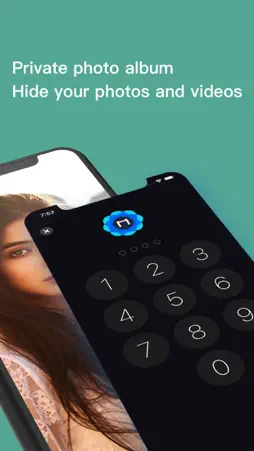
What can Meta Cleaner do? • Delete similar photos and videos In today’s world, where huge amounts of data are constantly circulating, you often want to get rid of unnecessary pictures that have piled up on your phone. This is when Meta Cleaner comes to your rescue! With our app, you can search and delete screenshots, similar pictures, Live Photos, burst photos, and videos. • Organize contacts Does it annoy you when you see several identical contacts on your contact list or unnamed contacts? Meta Cleaner is a real lifesaver when it comes to organizing your contacts—they can be merged, backed up, and removed quickly and effectively. • Help you save your battery life Besides cleaning up your device, Meta Cleaner also takes care of your battery. Check out our Battery section to read tips on how to make your iPhone’s charge last longer or choose a cool charging animation. You can also add a handy widget to your Home Screen that will let you check your battery level and charging status at a glance. • Protect privacy Meta Cleaner excels not only at deleting and organizing, but also at creating a safe space in which to keep private information. Stash photos and contacts in your secret spaces. Rest assured, your privacy is carefully protected with our app. But don’t think that this is all Meta Cleaner is capable of. Our app is a real gem for any active smartphone user, amateur and professional alike. Here’s what Meta Cleaner can also help you do: • Clean up your device in a few taps with a Smart Cleaning feature • Get rid of old calendar events quickly and easily • Test your Internet connection speed • Remove all photos taken in one location • Add Storage, Battery, and Contact widgets to your Home Screen The phone cleaning process may seem scary and time-consuming, but with Meta Cleaner, you won’t have to spend hours looking through your photos. You don’t even have to search for Smart Cleaner in the long list of your apps to open it. You can start it via Siri or Shortcuts. It is convenient, fast, and effective. Start a free trial to familiarize yourself with all the app’s features. Manage your subscription directly from your iPhone Subscriptions may be managed by the user and auto-renewal may be turned off by going to the user’s Account Settings after purchase. 1. Tap the “Settings” icon on your mobile, then tap the “Store” icon. 2. Sign in with your iTunes ID. 3. Tap “View Apple ID” then “Manage App Subscriptions”. 4. You will be able to see when your next payment is due, or cancel your automatic renewal. Privacy policy https://apollodev.notion.site/Privacy-Policy-c1152a84176f48b7bfec598c4d8178e2 terms of use https://apollodev.notion.site/Terms-of-Use-0e36730f2c1248bca17ac3fa6f9bf6dc
What's New
Version 2.1.6 2022-07-01
Keep your contacts and photos in perfect order with Smart Cleaner! We've made some changes in the new version: – Bug fixes and performance improvements We woul...Keep your contacts and photos in perfect order with Smart Cleaner! We've made some changes in the new version: – Bug fixes and performance improvements We would appreciate if you take a moment to review our app on the App Store! Technical Analysis
Package Overview Basic metadata
Bundle ID
com.cosmos.meta Current Version 2.1.6
Minimum iOS 13.0
Package Size App Store Size
Package Metadata 0 / 0 version records
Detailed binary, privacy manifest, framework, and Info.plist results have not been indexed for this package yet. The verified App Store and archive metadata above remains available.
Known Version Records
0 version records with stored package metadata
Stored metadata does not guarantee a package is currently available to download.
| Details | Version / IDs | Version date | Action |
|---|