Preview






Description
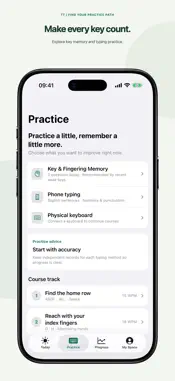
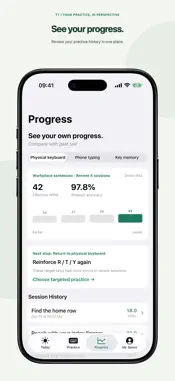
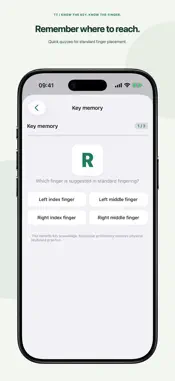
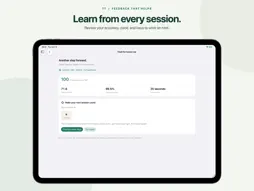
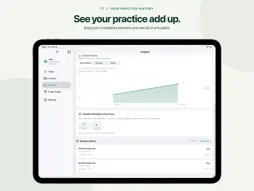
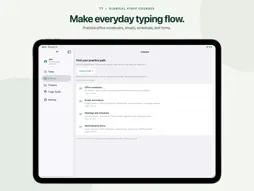
Better typing starts with a little practice. TT is a native Mac app for building typing accuracy, rhythm, and confidence. Follow clear keyboard and finger hints, practice at your own pace, and use each session's results to choose what to work on next. 22 LESSONS. FIVE PRACTICE PATHS. Start with six Basics lessons, from the home row to words and short sentences. Explore four lessons in each career track: - Programmer: paired symbols, mixed-case names, operators, and short code snippets. - Typist: capitals, sentences, punctuation, and business letters. - Data Entry: numbers, dates, amounts, and structured records. - Clerical Staff: office vocabulary, emails, schedules, and forms. GUIDANCE THAT FITS YOUR EXPERIENCE Choose Full guidance, Contextual hints, or Focused practice. Automatic guidance considers your experience and recent results for the current lesson. Visual keyboard and hand diagrams show the suggested key and finger, including Shift combinations. LEARN FROM EACH MISTAKE See the character you typed alongside the expected key. Correct mistakes with Delete, pause with Esc, and resume when you are ready. After a lesson, review your effective words per minute, attempt accuracy, practice time, and score. Turn your weak keys into a targeted follow-up drill. YOUR MAC. YOUR PRACTICE. With Pro, add local learner profiles with separate results, experience levels, course selections, and guidance preferences. Revisit completed sessions in Progress. Practice offline without registration, and choose English or Simplified Chinese with a light, dark, or system appearance. Designed for a QWERTY keyboard using the ABC input source. Lessons practice English letters, numbers, and ASCII symbols. Finger diagrams provide standard fingering suggestions; TT does not detect which physical fingers you use. Scores describe practice performance, not a certified assessment. Companion requires TT and active Pro on both a nearby Mac and iPhone. Camera guidance requires an iPhone camera, runs on-device, and does not record or upload video. It estimates hand position, not the finger used for each keystroke. Eligible early customers receive lifetime access to all Pro features, including companion and camera guidance. Terms of Use (Apple Standard EULA): https://www.apple.com/legal/internet-services/itunes/dev/stdeula/
What's New
Version 1.2.1 2026-11-04
Build better typing habits with smarter practice and clearer progress. - Personalized daily training: Choose a 5-, 10-, or 15-minute goal and follow a guided p... Technical Analysis
Package Overview Basic metadata
Bundle ID
cn.charsdavy.TT Current Version 1.2.1
Minimum iOS 17.0
Package Size App Store Size
Package Metadata 0 / 0 version records
Detailed binary, privacy manifest, framework, and Info.plist results have not been indexed for this package yet. The verified App Store and archive metadata above remains available.
Known Version Records
0 version records with stored package metadata
Stored metadata does not guarantee a package is currently available to download.
| Details | Version / IDs | Version date | Action |
|---|