
Preview








Description
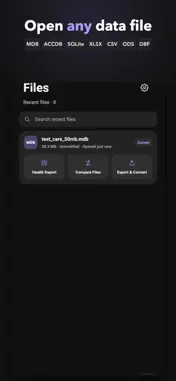
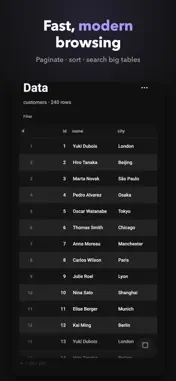
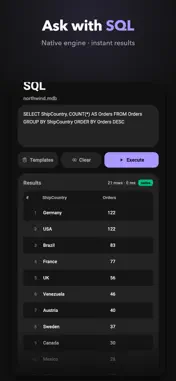
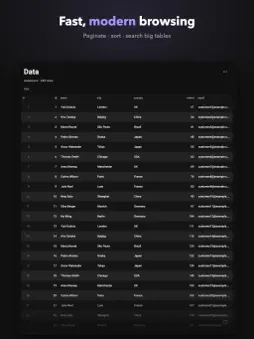
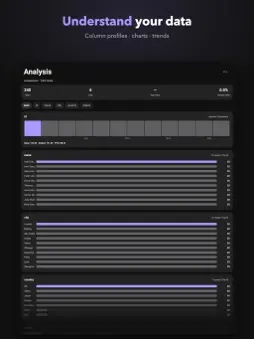
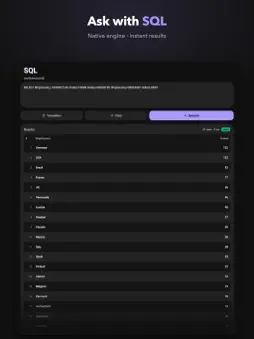
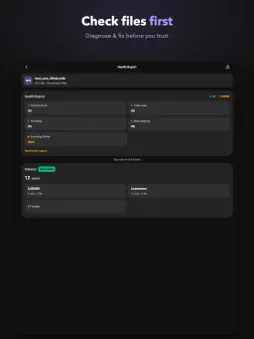
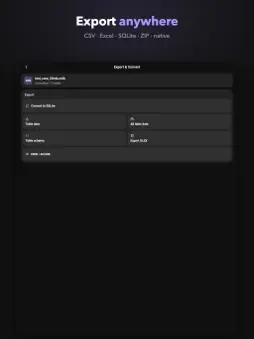
Database Viewer opens, browses, edits and converts database and data files right on your iPhone or iPad — no desktop, no account, no upload. Supported formats: • Microsoft Access: MDB and ACCDB (Jet 3/4/2007+) • SQLite databases • Excel workbooks: XLSX • OpenDocument spreadsheets: ODS • dBase files: DBF (dBase III) • CSV and TSV text tables • SQL dump scripts (SQLite dialect) Open any file, run a health check first, then browse. WHY DATABASE VIEWER Data files don't wait until you're at a desk. Sales exports, inventory lists, archived Access databases, spreadsheet attachments — they arrive on your phone, and you need answers now. Database Viewer brings a native C engine to your device so real files open fast and stay local. • Open large files with confidence - Native parsing keeps millions of rows and files of 1.5GB+ responsive, with pagination and a fullscreen browse mode. • Health check before you commit - Every file is analyzed for format, readability, encoding and damaged regions before you open it, with clear explanations and next-step suggestions when something is wrong. • Browse, search and filter - Jump between tables and inspect any row in a detail view. • Edit safely - Edits are made on a private working copy; your original is never modified. Save when you are ready and keep the original untouched. • Convert to SQLite - Turn any supported format into a modern SQLite database on your device. • Export anywhere - Write CSV, XLSX, ZIP archives, or save back in the original MDB/ACCDB format. • Run SQL queries - Execute SQL with a native engine and a clear error explanation when a query fails. • Compare two files - Diff any two databases or tables and get a row-by-row change report. • Understand your data - Column profiling surfaces outliers, trends and correlations; a chart wall visualizes distributions and totals. • Keep data local - Everything is processed on your device and never uploaded to cloud servers. No account required. QUICK ANSWERS • Need to open an MDB or ACCDB file from an old Access database? Browse every table, search across all of them at once, and inspect rows in fullscreen. • Looking for a DBF viewer for dBase III files? Open, browse and edit them, then save back in the original format. • Want to turn a CSV export or an Excel XLSX workbook into a real database? Import it, browse it and convert it to SQLite. • How do you read a SQL dump without running any server? Open the script directly, or query it through a local SQLite copy. • Searching for an offline viewer that keeps your data private? Nothing leaves your device — no account, no cloud. DATABASE VIEWER PRO Open any file and run a free health check. Pro is a single one-time purchase that unlocks: • Full table browsing • Editing in all supported formats, with safe write-back • SQL query execution • Converting any file to SQLite • Exporting to CSV, XLSX, ZIP and original formats • File diff reports • Cross-table search Order and fullscreen browsing are also part of Pro. Pay once, keep everything — no subscription, no account, no tracking. TERMS & PRIVACY Use of the app is subject to Apple's standard Licensed Application End User License Agreement: https://www.apple.com/legal/internet-services/itunes/dev/stdeula/ Privacy policy: https://lababacy.com/accessviewer/privacy/ RESTORE & SUPPORT Already purchased Pro? Tap Restore Purchases on the Pro screen and everything comes back — no repurchase, no subscription. Questions? Email [email protected] or visit https://lababacy.com/accessviewer/support/
What's New
Version 1.2.0 2026-10-30
Fixed a crash when opening files shared from other apps — shared files now open reliably, including right after launch. • Very large tables scroll much more sm... Technical Analysis
Package Overview Basic metadata
Bundle ID
com.lababacy.accessviewer Current Version 1.2.0
Minimum iOS 17.0
Package Size App Store Size
Package Metadata 0 / 0 version records
Detailed binary, privacy manifest, framework, and Info.plist results have not been indexed for this package yet. The verified App Store and archive metadata above remains available.
Developer Information
Known Version Records
0 version records with stored package metadata
Stored metadata does not guarantee a package is currently available to download.
| Details | Version / IDs | Version date | Action |
|---|